

At first install Optinify from Shopify app store. Once done, you will land in the dashboard.
Create your discount in Optinify
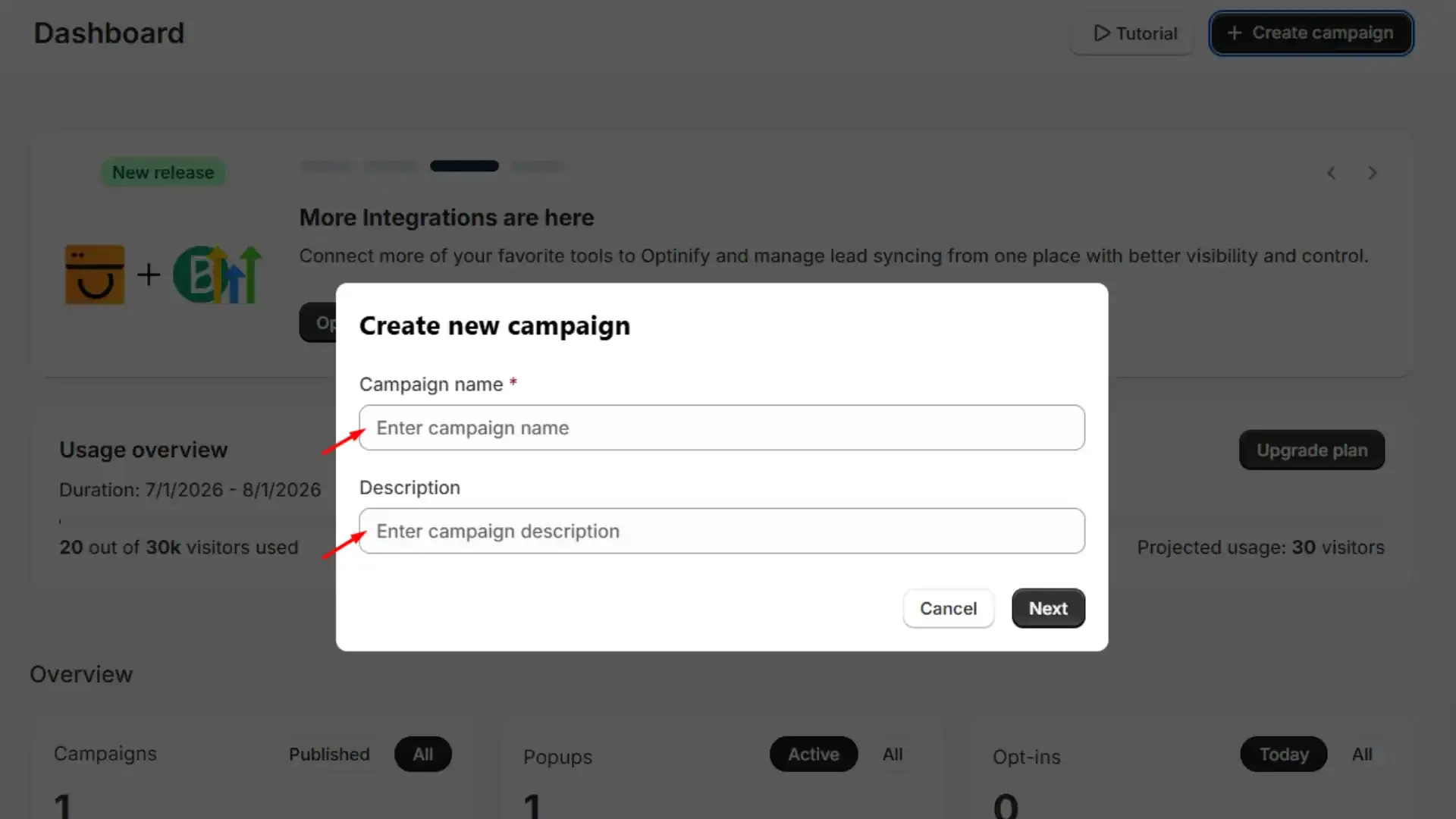
Now tap on ‘Create campaign’ and fill up the name and the description. Once done, click next.
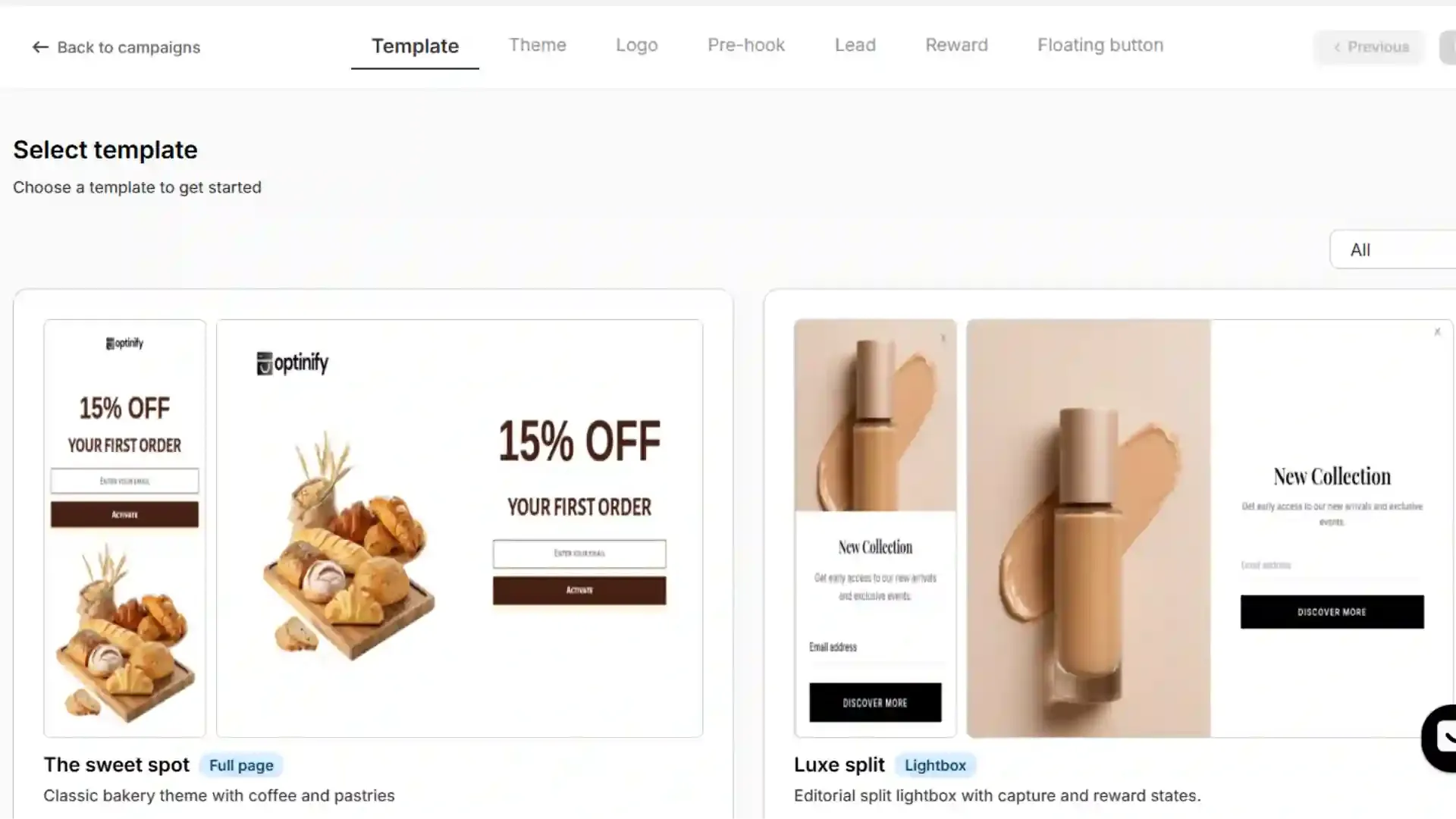
Select a template and click next. Customize the popup as you want.
In the reward step, you can see these options.
1. No reward: You can go with the ‘no reward’ option if you don’t want to show any reward to your visitors.
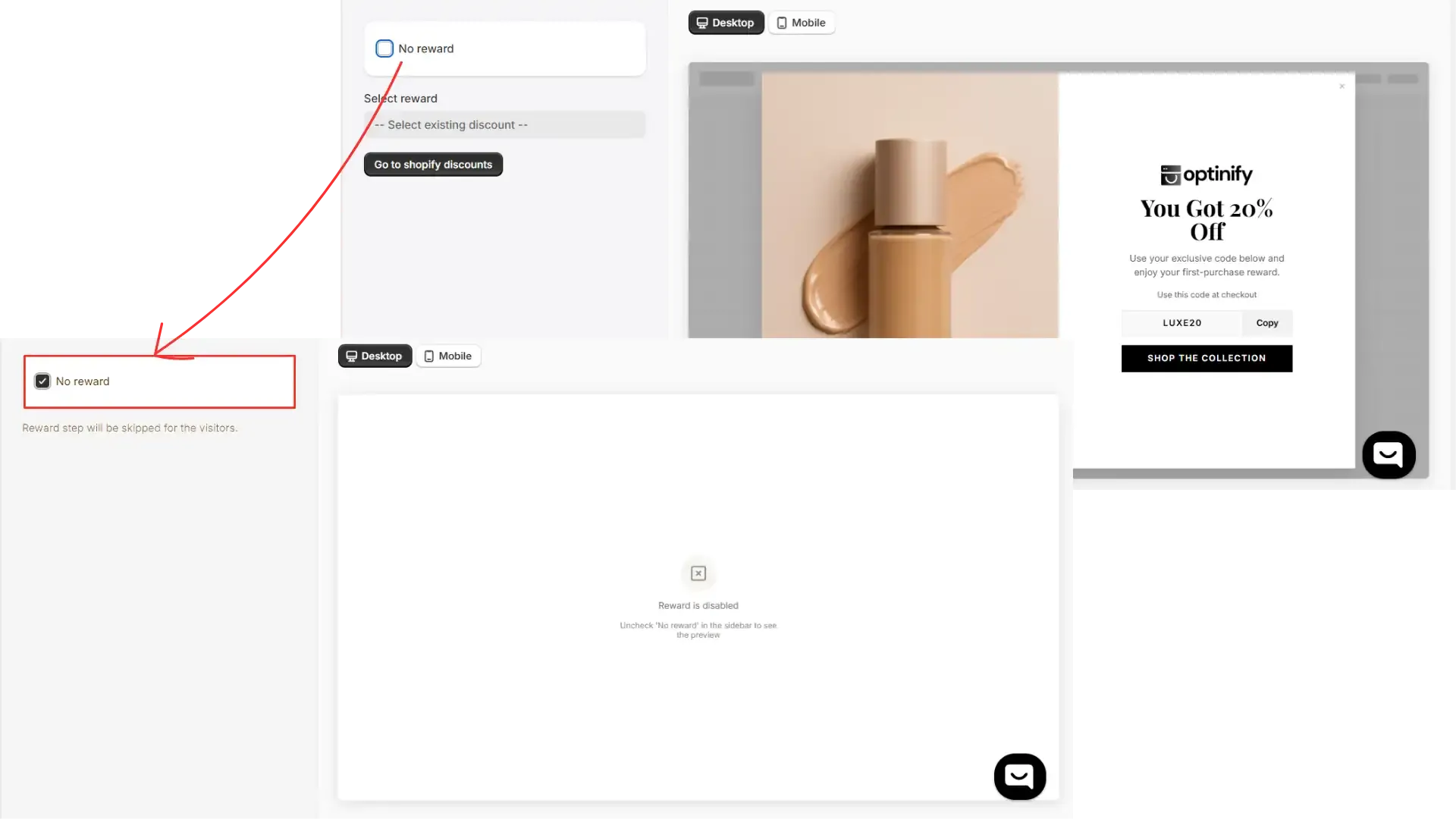
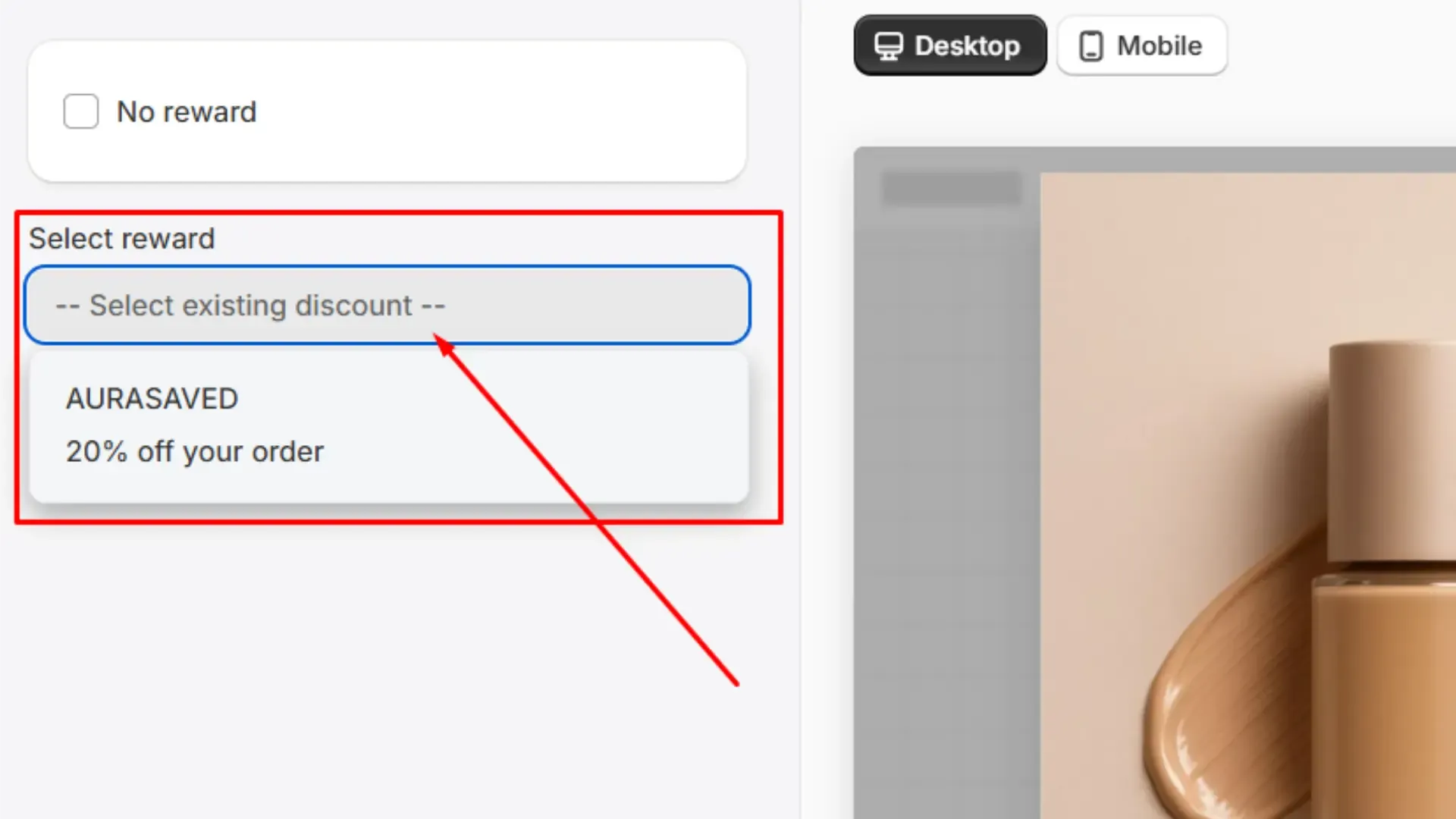
2. Select reward: If you have previously created a discount coupon, you can select one of those from the ‘select reward’ option.
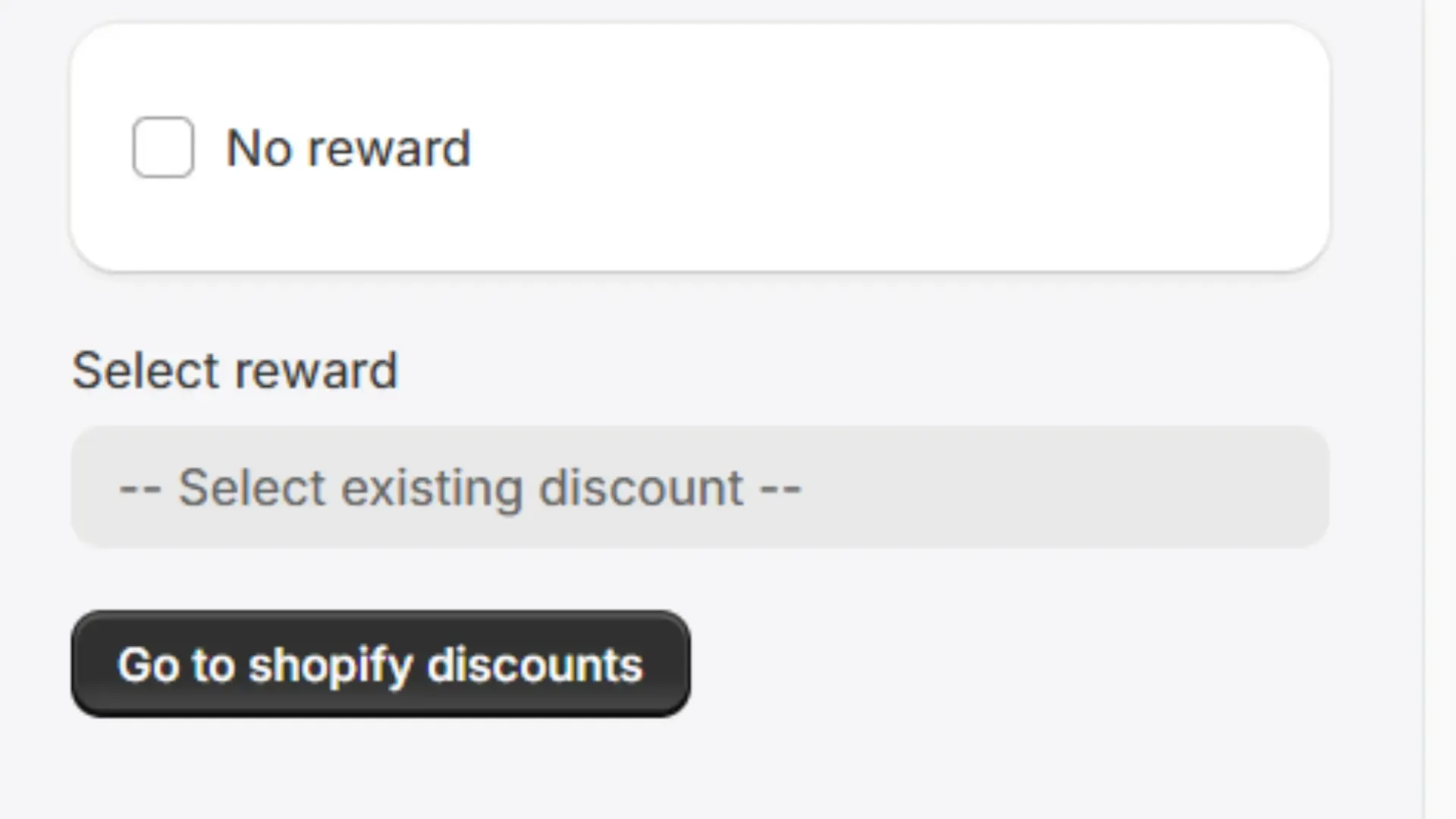
3. If you want to create a new discount for your visitors, tap on the button, ‘go to Shopify discounts.’
4. Now tap on ‘create discount’ and select the discount type you want to offer. Fill up the information and click ‘save.’
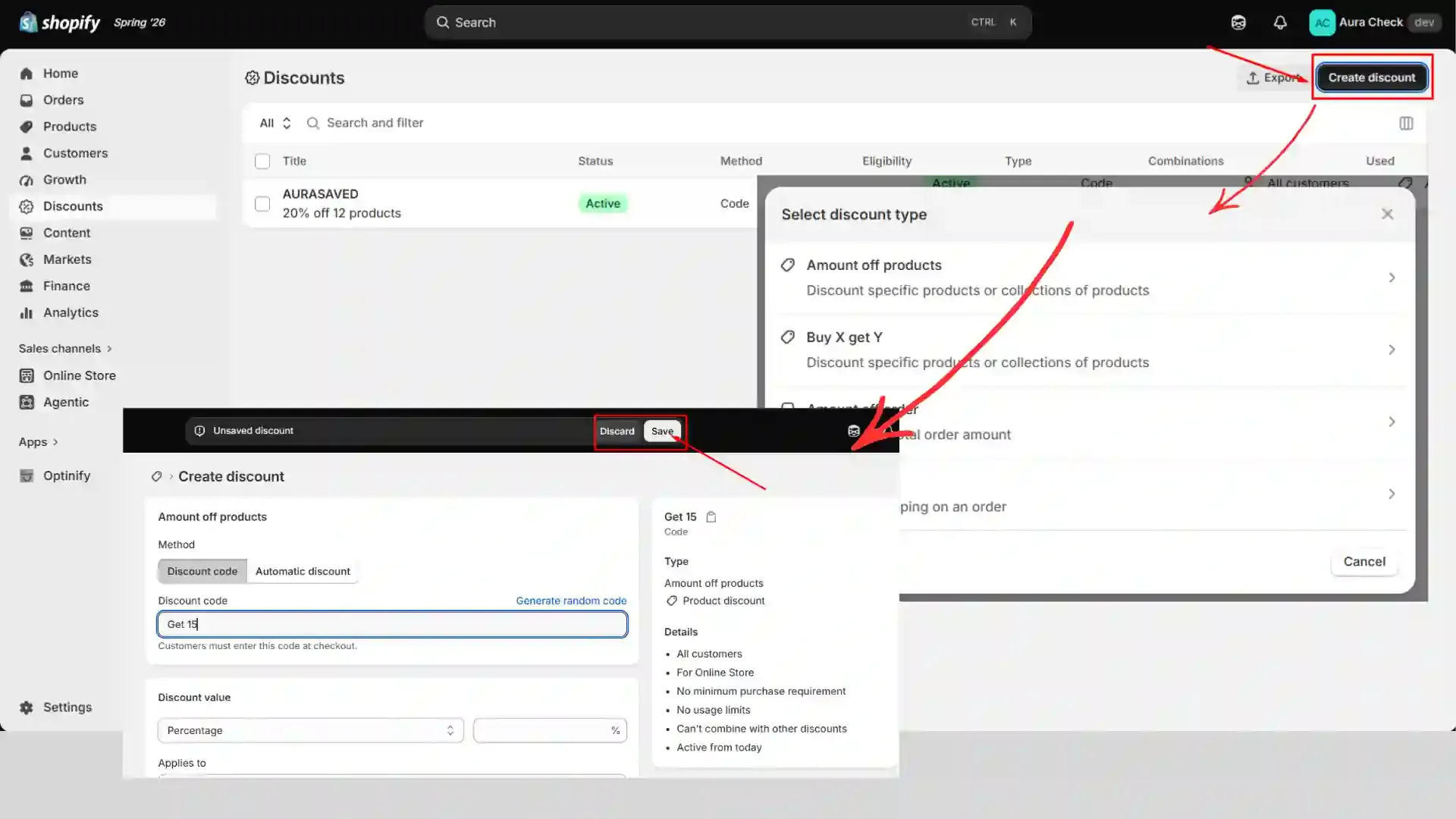
Congratulations, you are done with creating the discount. Now go to the previous tab and complete creating the popup.
Once done, make the campaign live. Now the visitors can see the discount you have created in your popup.