


At first install Optinify from Shopify app store. Once done, you will land in the dashboard.
Steps to configure Optinify with Redo
1. Tap on the Option “Integration” and find “Redo.”
2. Click on “Connect.”
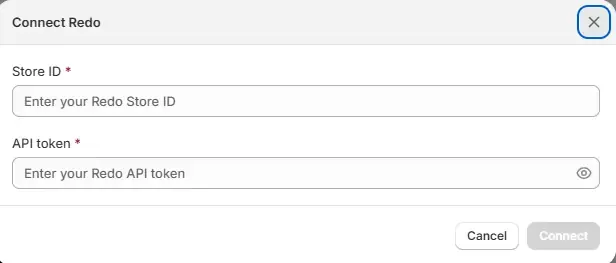
3. Now you need the ‘Store ID’, & the ‘API Token.’
4. To get all these, sign in to you Redo account.
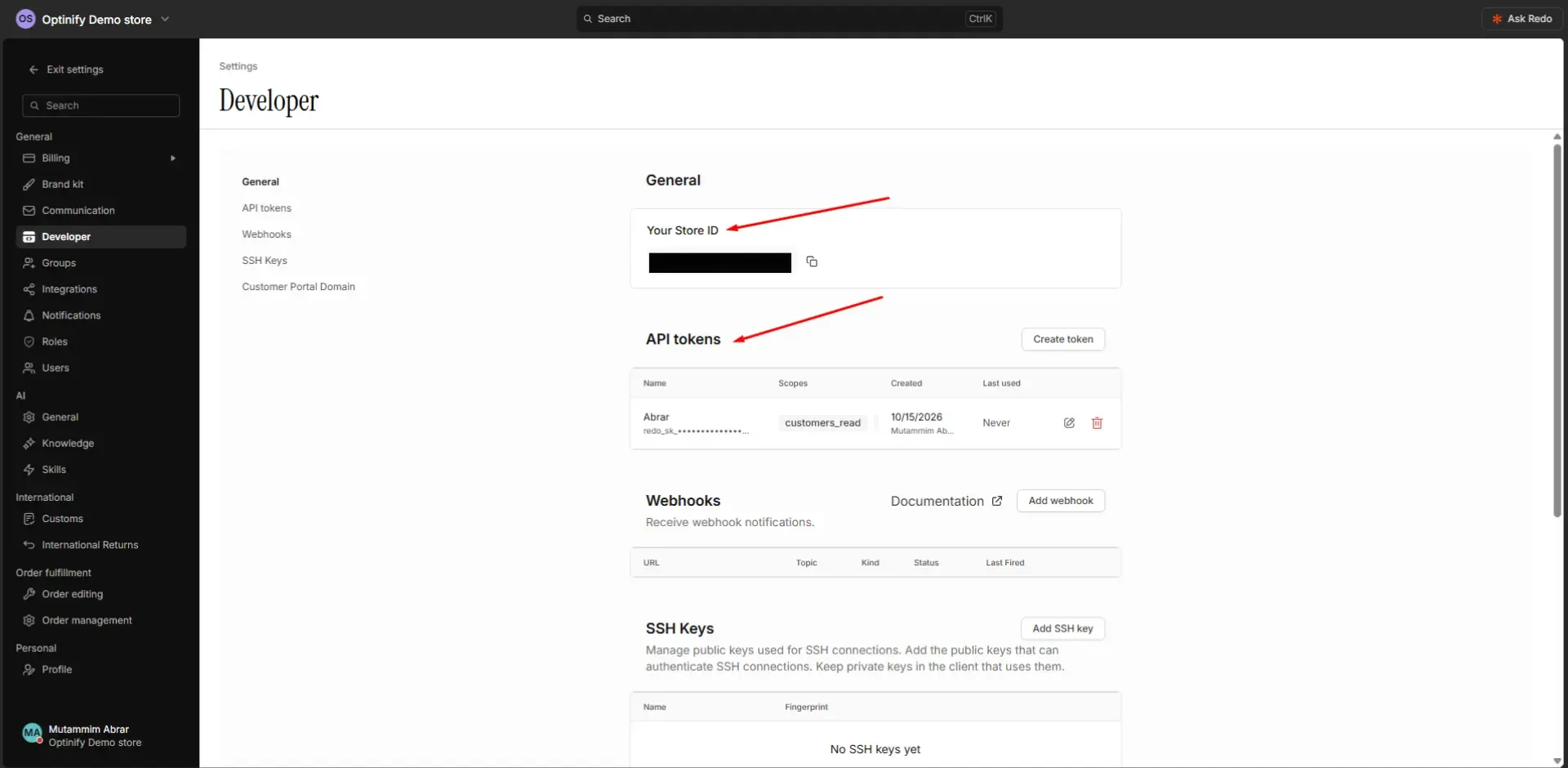
5. Click on ‘Settings.’ Go to ‘Developer.’ You will find your ‘Store ID.’ Copy that and paste into Optinify.
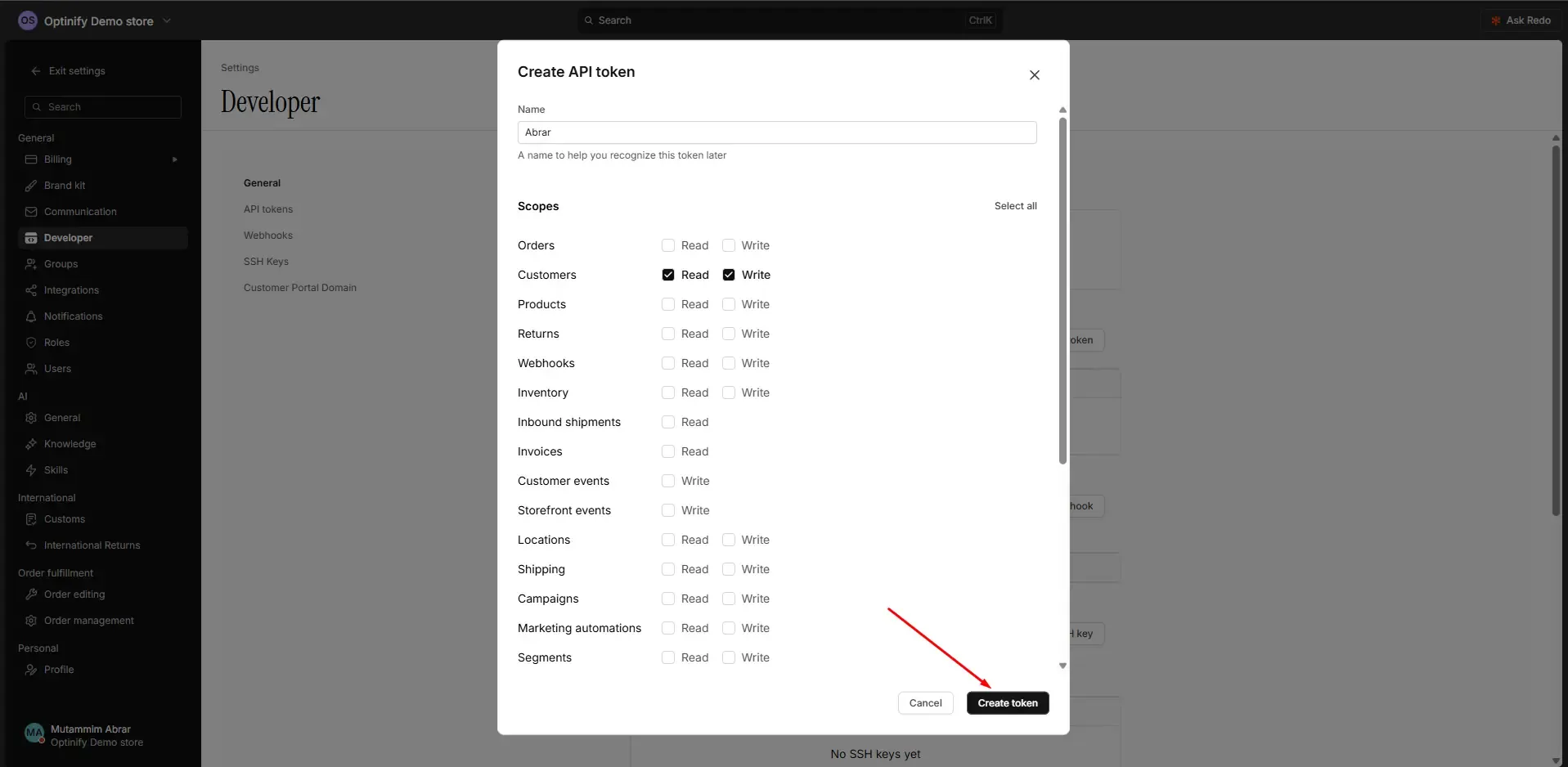
6. There you will get the option to create the ‘API Token.’ Click on ‘Create token.’ Give a name and allow the segment ‘Customers’ to ‘read’ and ‘write’ then click ‘create token.’
7. Copy the token and paste into Optinify. Click on ‘connect.’
8. That’s it. You are done with the integration of Optinify with Redo.
Need help to connect Redo?
Schedule a call. We are just a call away.
Human Support • Setup in 60 seconds • Free 14-day trial