
Popup Targeting Guide: Show the Right Message to Visitors
Popup targeting helps businesses show the right message to the right visitor at the right time. Learn how to use page, visitor, device, and behavior-based targeting rules with Optinify to create smarter popup campaigns that improve engagement and conversions.

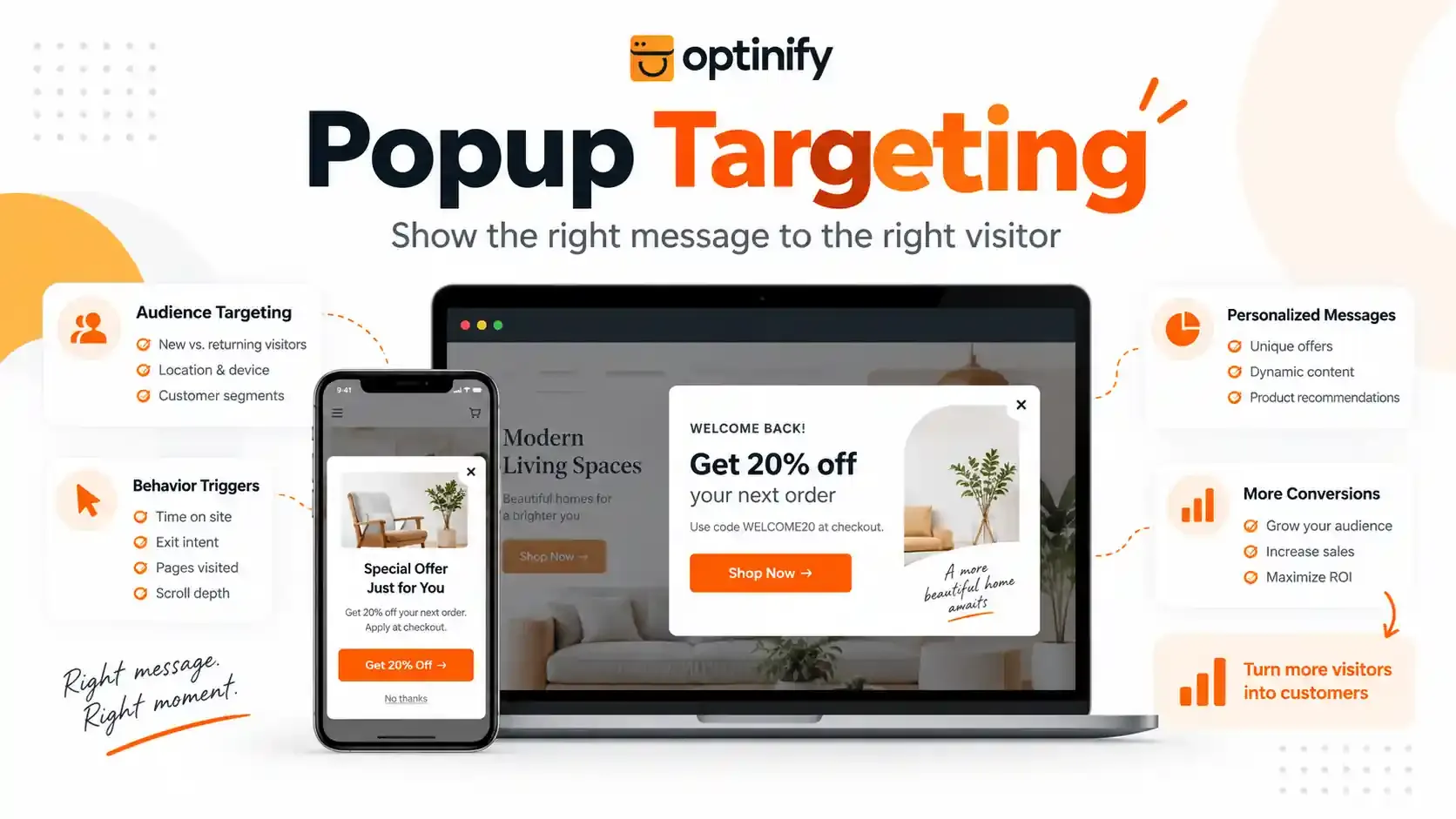
Popup targeting determines when your campaign appears, who sees it, and which page it appears on.
In this guide, you will learn what popup targeting is, its importance, how this works, and how to create effective targeted popups using Optinify.
What Is Popup Targeting?
Popup targeting shows different popups to different visitors based on set rules.
A targeted popup changes based on visitor details, such as:
- Visitor type
- Page location
- Device type
- Time spent on a page
- Scroll activity
- Exit behavior
For example, a first-time visitor may see a welcome discount. A returning visitor may see a new product announcement.
The goal is simple: show a useful message when visitors need it.
Optinify pro tip
Read more about Welcome Popup: Examples, Best Practices & How to Create One
Why Does Popup Targeting Matter?
Popup targeting improves the visitor experience by showing more useful messages.
A blog reader and a product viewer have different goals. Showing them the same popup can reduce interest.
A well-targeted popup can help businesses:
- Grow email and SMS lists
- Promote special offers
- Recommend relevant products
- Collect customer preferences
- Reduce abandoned visits
Optinify Pro Tip
Learn more about SMS Popup Guide: Definition, Examples & Best Practices
How Does Popup Targeting Work?
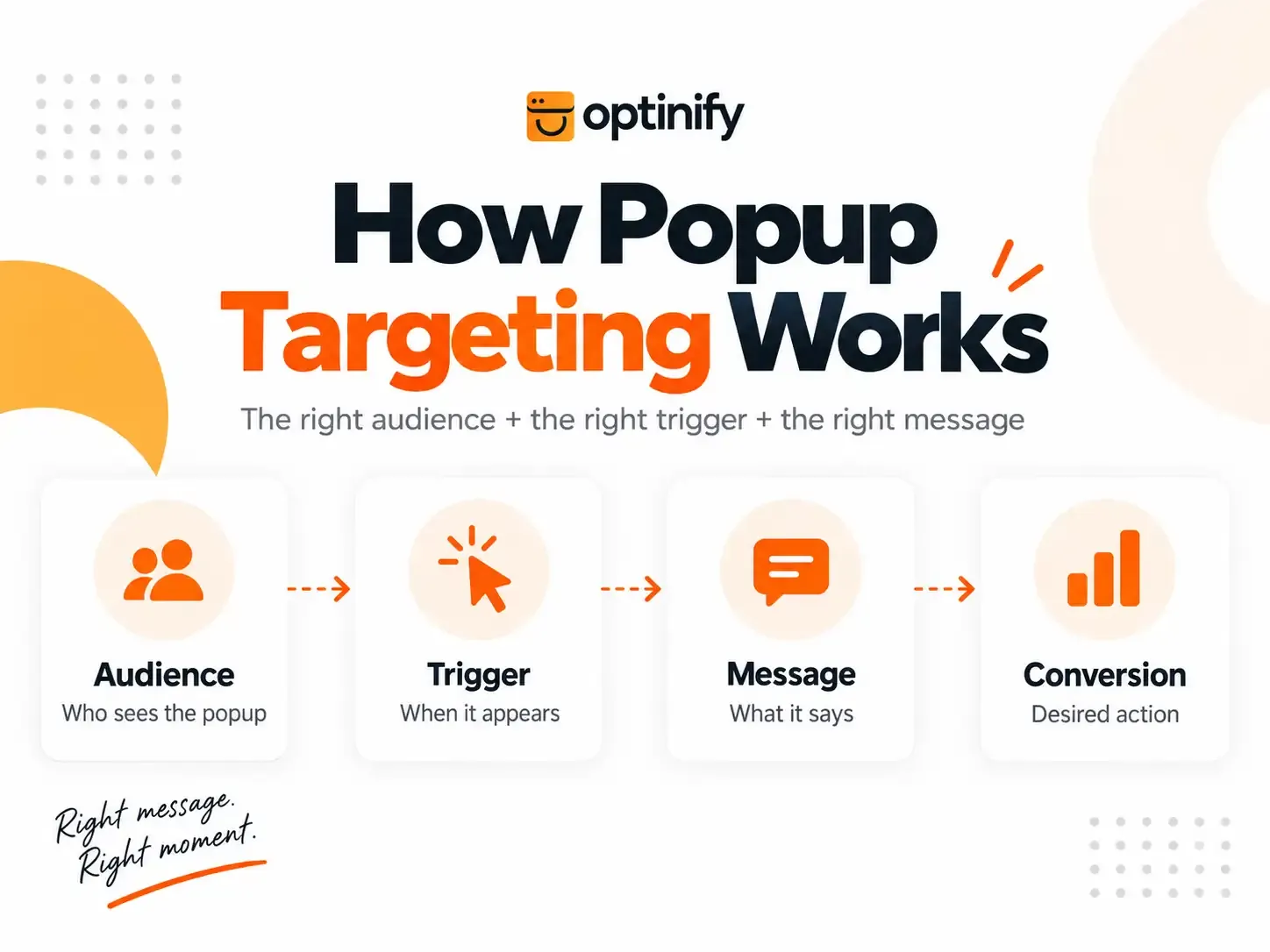
Popup targeting works through simple rules.
A popup appears only when a visitor meets the following rules.
For instance:
Condition:
- Visitor is new
- On product page
- Scrolls 50% of the page
Action:
- Show a product recommendation popup
Optinify uses this approach to help businesses control popup campaigns without showing the same message to every visitor.
Understanding AND & OR Targeting Rules
Optinify allows businesses to combine multiple targeting conditions using AND and OR rules.
AND Rules
With AND rules, all conditions must match before showing a popup.
Example:
- New visitor
- Product page visitor
- 50% page scroll
The popup appears only when all conditions are met.
OR Rules
With OR rules, at least one condition must match.
Example:
- Visitor is on a sale page
- Visitor comes from a campaign link
OR rules help reach visitors in different situations with the same popup.
Popup Targeting Options in Optinify
1. Page-Based Popup Targeting
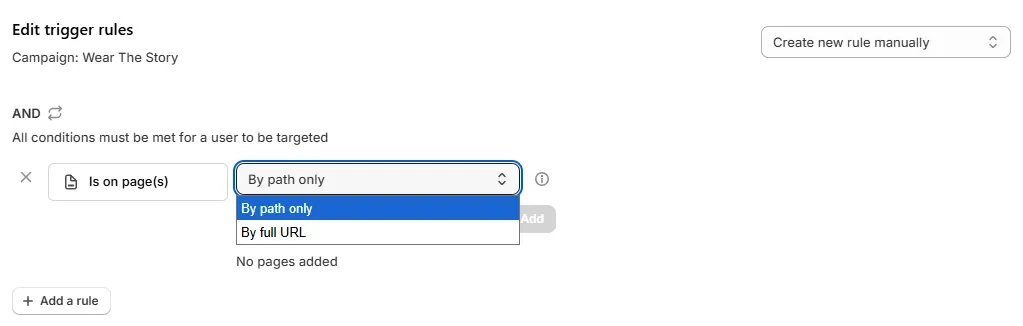
Page targeting controls where your popup appears.
Optinify allows you to target visitors based on:
- Specific pages
- URL paths
- Full website URLs
This helps businesses create different messages for different customer journeys.
2. Visitor Type Targeting
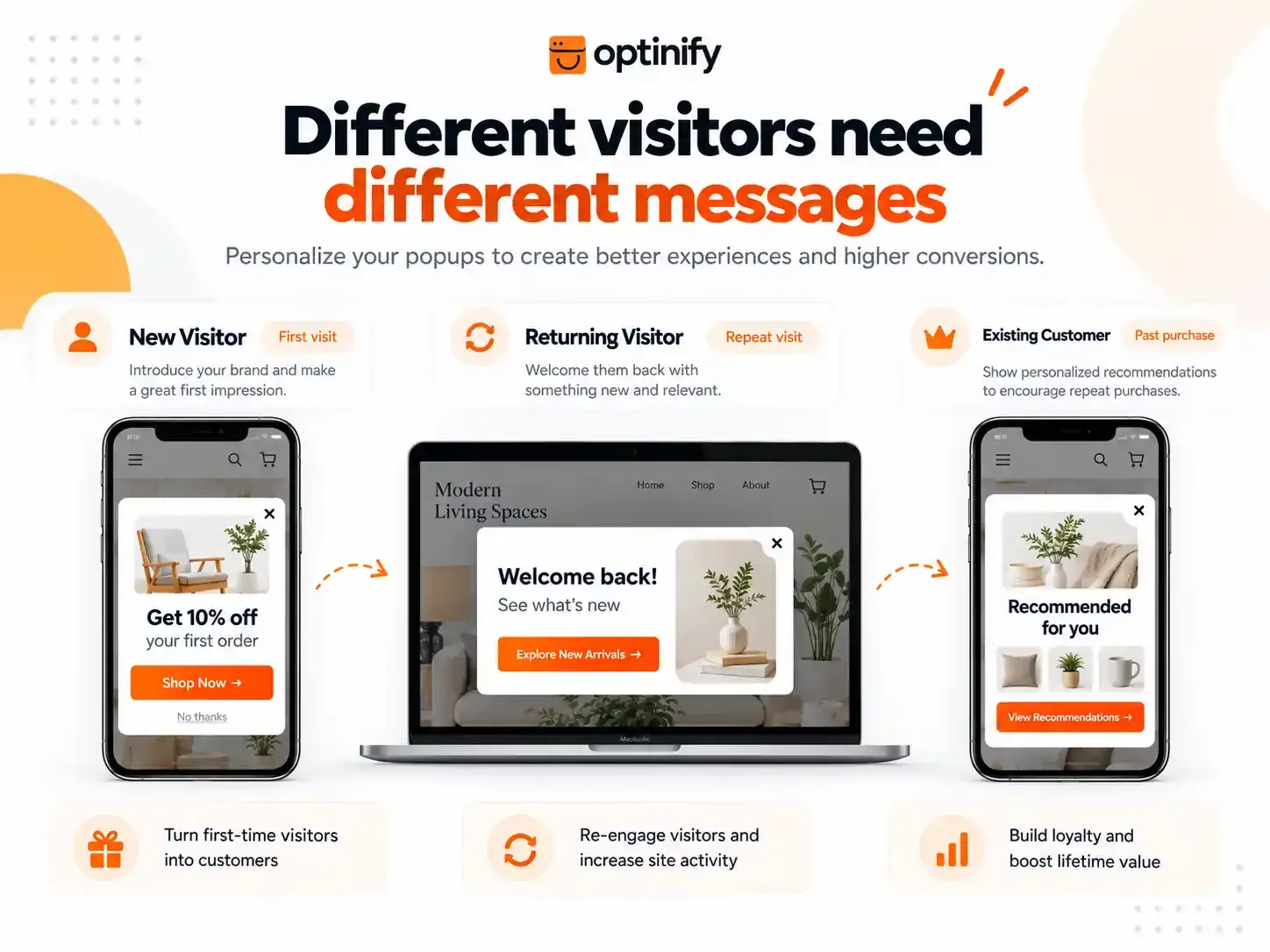
Not every visitor needs the same offer.
Optinify allows you to separate:
- New visitors
- Returning visitors
New Visitor Targeting
New visitors usually need more reasons to trust your brand.
Useful popup ideas:
- Welcome discounts
- Email signup offers
- Brand introduction messages
Example: "Welcome! Join our list and get 10% off."
Returning Visitor Targeting
Returning visitors already know your brand.
They may respond better to:
- New product updates
- Special offers
- Loyalty messages
Example: "Welcome back. Check out our latest collection."
This type of targeting creates a more natural customer experience.
3. Device-Based Popup Targeting
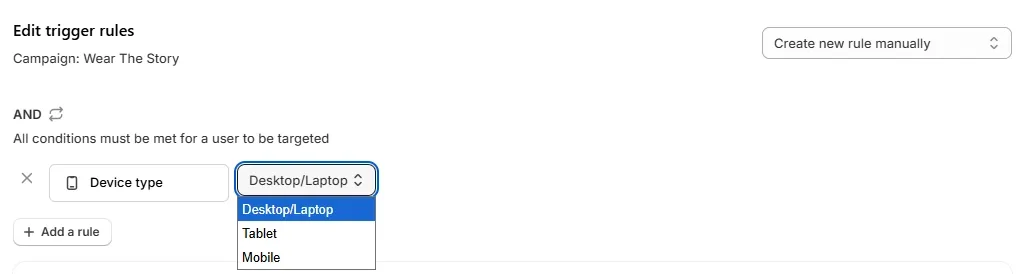
Visitors interact differently on desktop and mobile devices.
Optinify allows you to target:
- Desktop/Laptop
- Tablet
- Mobile
Desktop Popup Targeting
Desktop visitors often have more screen space.
Good use cases:
- Exit intent offers
- Product recommendations
- Newsletter signup forms
Mobile Popup Targeting
Mobile visitors need simpler popup designs.
A good mobile popup should have:
- Clear message
- Easy close button
- Simple action
Mobile users often browse quickly. Too many popups can make their experience worse.
Optinify Pro Tip
Check this guide on Mobile Popup.
4. Location & Market-Based Popup Targeting
Location targeting helps businesses show relevant popups based on where visitors are located.
Optinify allows businesses to target visitors based on:
- Countries
- Shopify Markets
- Selected regions
This is useful for stores selling to customers in different locations.
Example: A Shopify store can show:
"Free shipping available for customers in the USA."
While visitors from another market can see a different offer.
Location and market targeting helps businesses create more personalized shopping experiences for different audiences.
5. Behavior-Based Popup Triggers
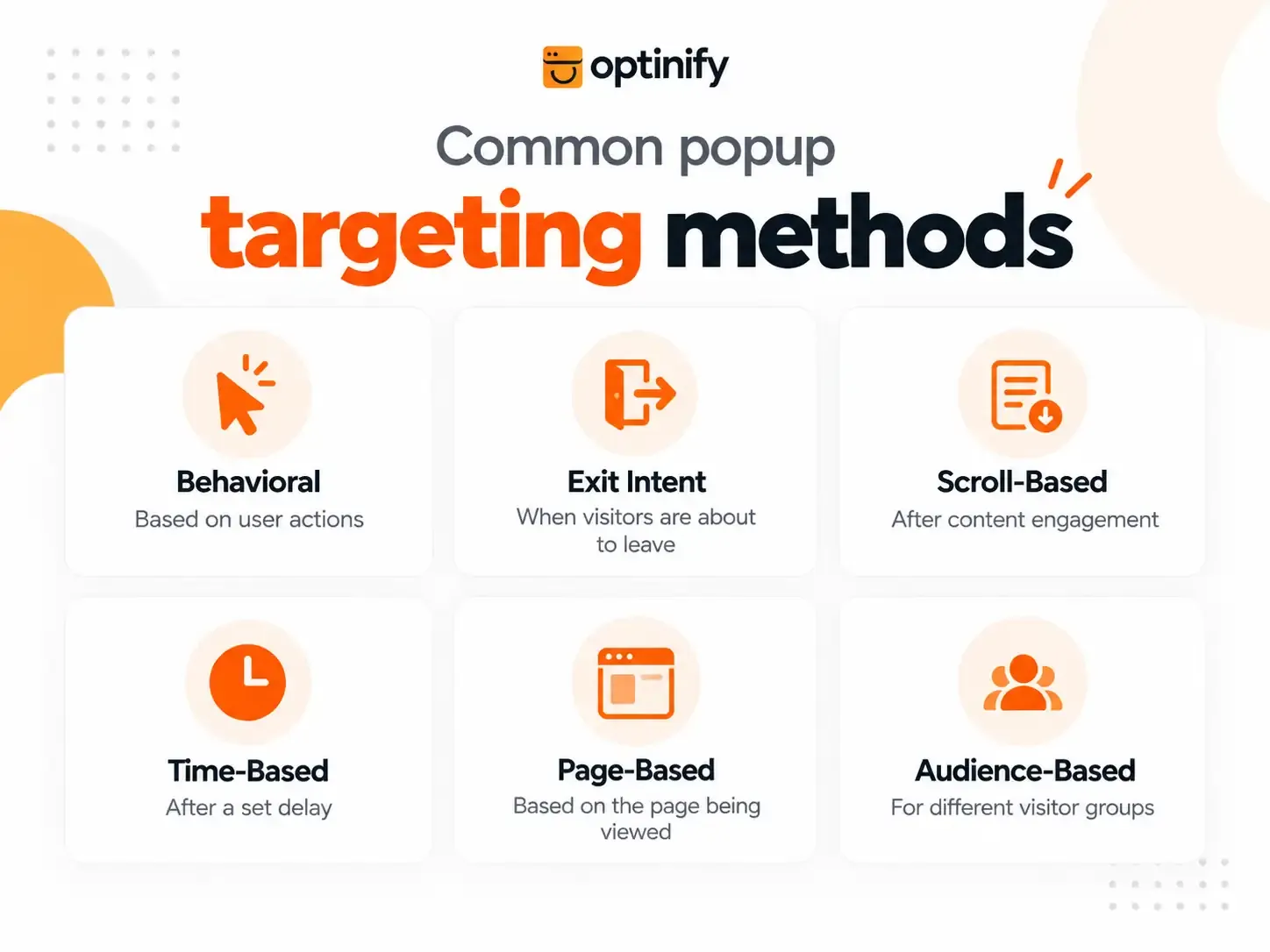
Behavior targeting uses visitor actions to decide the right popup timing. This method is useful because it focuses on what visitors actually do.
Optinify supports several visitor action triggers.
Timer Delay Targeting
Timer delay controls when a popup appears after a visitor opens a page. You can choose the delay time in seconds.
Example: A visitor lands on a product page.
Instead of showing a popup right away, wait 10 seconds. Let visitors explore the page first.
This creates a smoother experience.
Scroll Depth Targeting
Scroll targeting shows popups after visitors read a certain part of a page.
Optinify allows you to set popup triggers based on scroll levels:
- 10%
- 20%
- 30%
- 50%
- 70%
- 90%
- 100%
Scroll depth helps identify interested visitors.
For instance, a visitor who reads 70% of a blog post may show more interest in joining an email list. A visitor who leaves after a few seconds may not have the same interest.
Exit Intent Targeting
Exit intent targets visitors who are about to leave. It works differently depending on the device.
Desktop Exit Intent
On desktop, exit intent detects when a visitor moves the cursor away from the page.
Here is a simple example. A visitor views a product but does not complete the purchase.
Show: "Before you go, enjoy free shipping today."
Mobile Exit Intent
Mobile devices do not use mouse movement like desktop computers. So, exit intent works differently on mobile screens.
Instead, mobile exit intent can use actions like:
- Fast upward scrolling
- Long inactivity
- Switching between pages
These actions help show relevant popups without using desktop exit signals.
Read more about
6. Popup Frequency Targeting
Popup frequency controls how often a visitor sees the same popup during their visit.
The right frequency helps you balance visibility and user experience. With Optinify, you can choose when a popup should appear again based on your campaign needs:
- Show only once for each visitor
- Repeat after a selected number of days
- Display again after a chosen time interval
- Show on each new session
- Display on every page load
The right frequency helps businesses stay visible without creating a frustrating experience.
Popup Targeting Examples
Example 1: Growing Email Subscribers
Goal: Build an email list
Targeting rules:
- New visitors
- Blog pages
- 50% scroll depth
- At least one time for each visitor
Popup message: "Get weekly tips and exclusive offers."
Optinify Pro Tip
Want to learn more about building effective email capture campaigns? Read our guide on Email popup examples.
Example 2: Recover Interested Visitors
Goal: Reduce lost sales opportunities
Targeting rules:
- Product page visitors
- Desktop users
- Exit intent trigger
Popup message: "Still interested? Get free shipping on your order."
Example 3: Recommend Products
Goal: Improve product discovery
Targeting rules:
- Returning visitors
- Product pages
- 10-second delay
Popup message: "Looking for something similar? Explore our recommendations."
Common Popup Targeting Mistakes
Showing the Same Popup Everywhere
Different pages have different visitor intent. A blog reader and a product buyer should not receive the same message.
Showing Popups Too Early
Visitors need time to understand your website. A popup that appears instantly can feel like an interruption.
Ignoring Mobile Users
Desktop popup strategies do not always work on mobile. Create separate rules for different visitor behaviors.
Using Too Many Rules
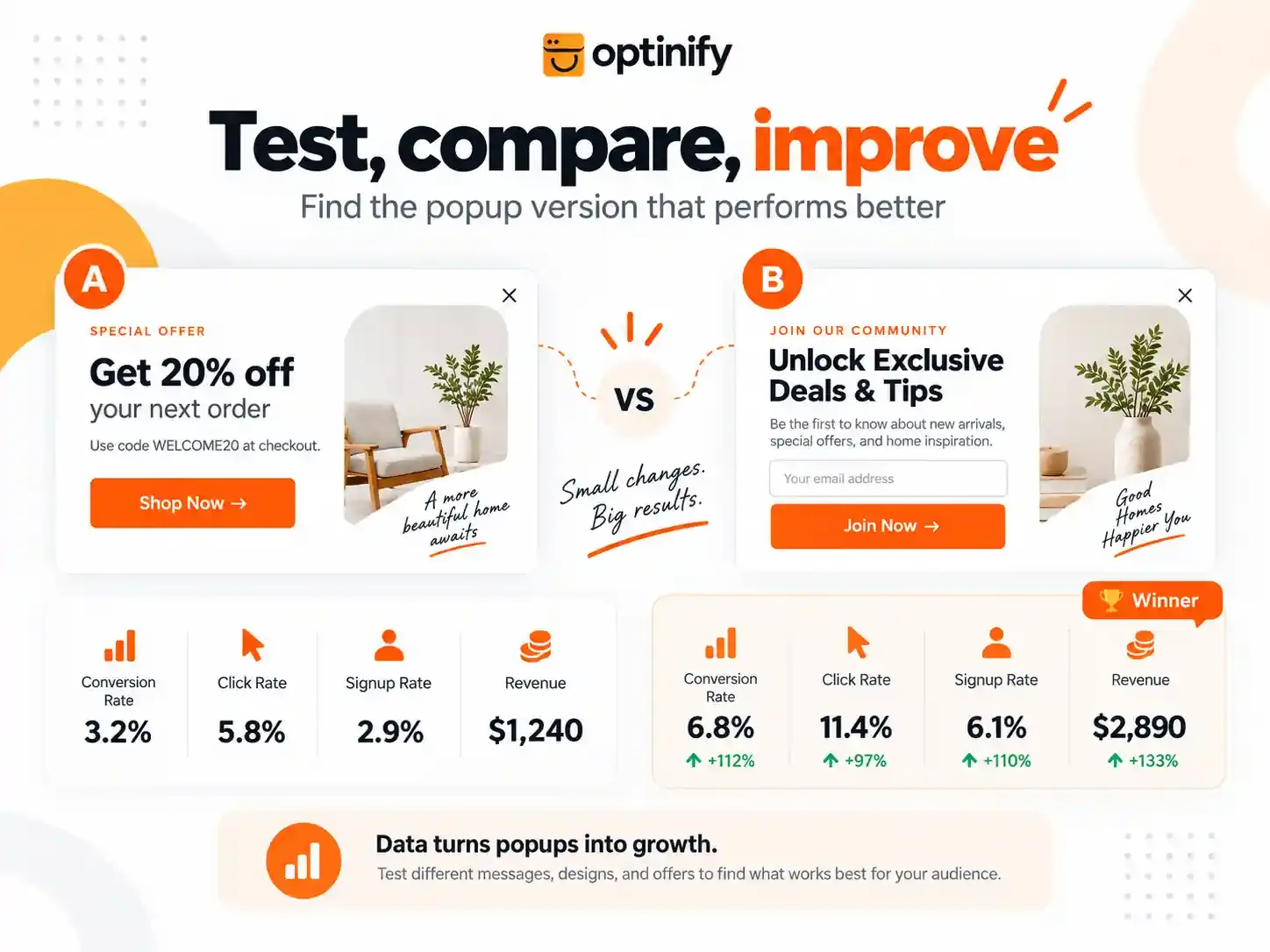
Advanced targeting can improve results, but too many rules may reduce the number of visitors who see your popup. A/B test your rules and find out which one works better.
Optinify Pro Tip
Read more about How to create a A/B test campaign with Optinify step by step
Frequently Asked Questions About Popup Targeting
Still having doubts?
Schedule a call with our team. We are ready to clarify all your doubts.
Human Support • Setup in 60 seconds • Free 14-day trial
Final Thoughts
Popup targeting helps businesses move from general messages to more relevant ones.
The best popup campaigns focus on three things:
- Who should see the popup
- When visitors should see the popup
- What message they should receive
Optinify gives businesses control over pages, visitors, devices, and actions. These options help create popups that feel useful instead of disruptive.
A successful popup is not the one that appears the most. A successful popup appears when visitors actually need it.
Turn every visitors into customers
Human support. 14 Day Free Trial. Set Up in 60 seconds