


A good website popup gives shoppers a clear reason to take action. It might offer a discount, ask for an email, save a cart, help with choosing a product, or share a special offer.
Design is important, but it should not be your first priority. Focus first on the visitor, the message, the page, the trigger, and the offer.
This guide covers 21 website popup examples that Shopify merchants can use for their campaigns. Each example includes the goal, timing, use case, and a lesson you can apply.
What Is a Website Popup?
A website popup is a message that appears over or beside a web page. It asks the visitor to take an action without sending them to another page.
That action might be joining an email list, using a coupon, getting a stock alert, or returning to a cart.
There are many types of popups, but Shopify merchants do not need to use all of them. Before taking any decision, you can get a deeper explanation of what is a popup.
Website Popup Examples at a Glance
Website Popup Examples at a Glance
21 Website Popup Examples for Shopify Stores
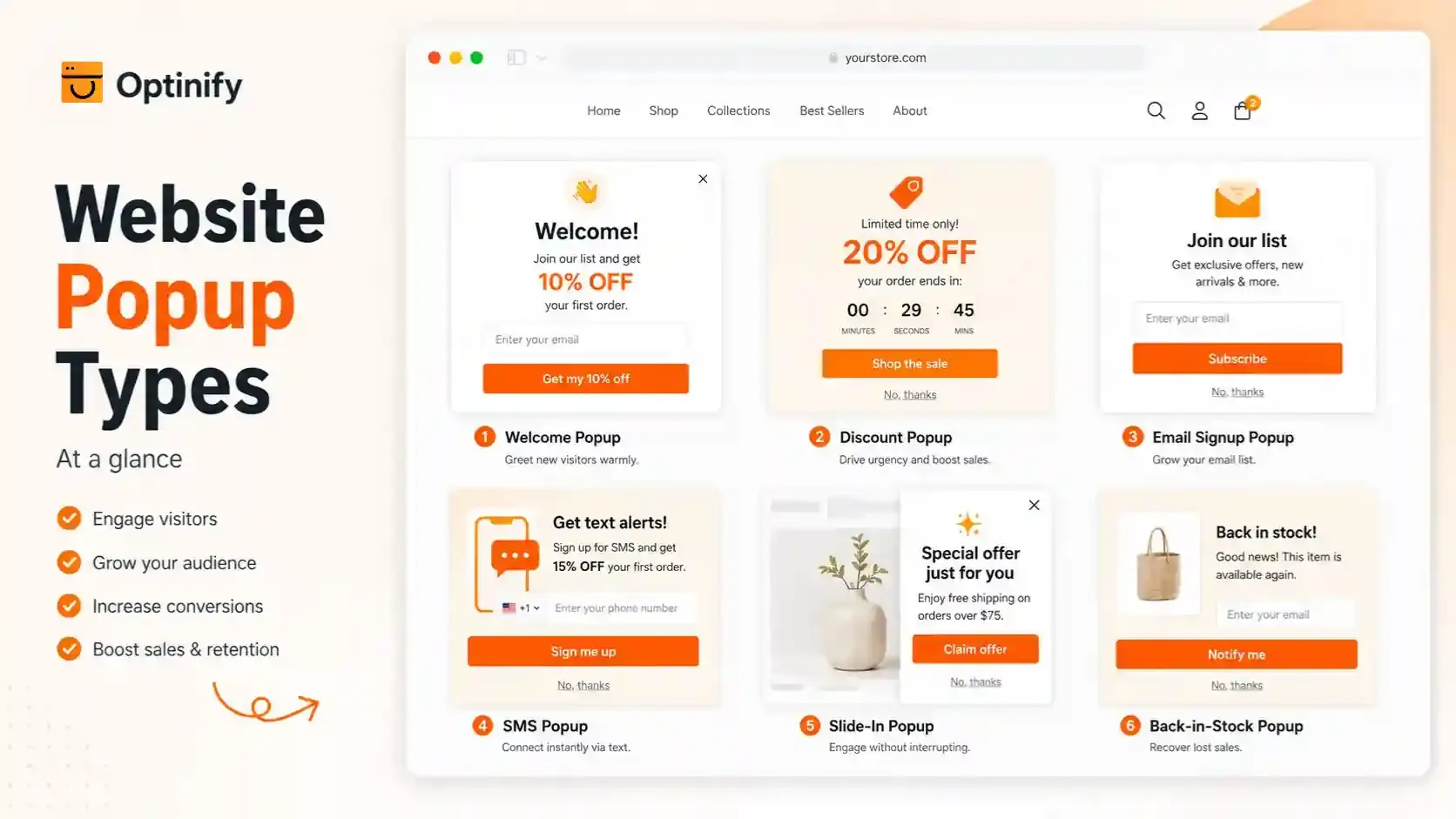
1. Welcome Popup
A welcome popup appears when someone visits your site for the first time and encourages them to take action.
Most often, welcome popups are used to collect email addresses. You can also offer free shipping, early access, a first-order discount, or help visitors discover products.
Example:
Welcome. Get 10% off your first order.
Enter your email and we will send your code.
CTA: Get My 10% Off
Why it works
Since the visitor is new, the popup gives them a straightforward first offer. For more ideas, check out the welcome popup guide.
2. First-Order Discount Popup
A first-order discount popup offers new shoppers a price reduction when they take an action, like signing up with their email.
Some common offers are:
- 10% off
- 15% off
- $10 off
- Free shipping
- A free gift
Why it works
This popup gives shoppers a simple reason to try a new store. It is most effective when price is a main reason first-time buyers hesitate.
3. Email Signup Popup
An email sign-up popup invites visitors to join your email list.
The best email popup examples give people a reason to subscribe, not just a generic message like "Join our newsletter."
Weak copy
Subscribe to our newsletter, Get updates and news.
Better copy
Get first access to our next drop, Join the list and shop new items before everyone else.
Why it works
The improved version explains what visitors will receive. The value you offer does not have to be a discount. Early access, restock alerts, guides, product tips, or member-only items can all be effective.
4. SMS Popup
An SMS popup asks a phone number so the store can contact the shopper by text.
It can appear on its own or as the second step after email capture.
Example copy
Want early sale alerts? Add your number and be the first to know.
CTA: Sign Me Up
Why it works
SMS works well for urgent messages like product launches, restocks, or flash sales. Since phone numbers are more personal than emails, merchants should have a clear SMS plan before collecting them.
5. Giveaway Popup
A giveaway popup lets visitors enter to win a prize when they sign up for your list.
Possible rewards include:
- Their order refunded
- A product bundle
- Store credit
- A gift card
- A limited product
Why it works
Offering a bigger potential prize is often more exciting than giving everyone a small coupon. It can also help protect your profit margin since not every visitor gets a discount.
6. Slide-In Popup
A slide-in popup appears from the side or bottom of the page, rather than covering the whole screen.
This type of popup is great for small promotions, collecting emails, sharing shipping updates, or offering product help.
Why it works
Shoppers can still view most of the page, so slide-ins are helpful on product and collection pages where browsing is important to the buying process.
7. Cross-Sell Popup
A cross-sell popup shows up after a shopper shows interest in a product, usually right after they add something to their cart.
It recommends another product that goes well with what the shopper just picked.
Examples
- Shoes + socks
- Shampoo + conditioner
- Camera + memory card
- Dress + bag
- Coffee maker + filters
- Phone + case
Why it works
The popup responds to what the shopper has already done. People who just added something to their cart are much more likely to buy than those who just arrived on the site.
8. Exit Intent Popup
An exit intent popup shows up when a visitor’s actions suggest they might leave the store.
On desktop, this usually means moving the mouse toward the browser controls. On mobile devices, exit intent pop-ups might be triggered by behaviors like rapidly scrolling up, tapping on the browser’s address bar, switching tabs, or being inactive for a while.
Example copy
Before you go, Get free shipping on your first order.
CTA: Get Free Shipping
Why it works
The popup appears when the visitor is about to leave, so it works better as a final offer than one that pops up right when someone arrives.
9. Cart Abandonment Popup
A cart abandonment popup cart but might leave the site without making a purchase.
This type of visitor usually wants to buy something.
Here’s a simple example:
Your cart is still here. Ready to finish your order?
CTA: Return to Cart
Why it works
The message fits what the shopper was doing on the site.
10. Free Gift Popup
A free gift popup gives customers a product or sample rather than lowering the price.
Customers might get the reward when they sign up or make a purchase.
Example copy
Get a little extra with your first order. Join our list and receive a free sample when you make a purchase.
CTA: Claim My Gift
Why it works
Shoppers often see a low-cost product as more valuable than its price suggests. This helps merchants keep their main product prices steady.
11. Gamified Popup
A gamified popup lets users play a game before or during an offer.
The most popular example is a spin-to-win wheel.
Here are some other ideas:
- Scratch card
- Pick a gift
- Mystery reward
- Prize reveal
- Mini quiz
Why it works
Users get involved instead of just reading an offer. This can make signing up feel more enjoyable.
12. Back-in-Stock Popup
A back-in-stock popup appears when a shopper wants an item that is sold out. It asks for contact details so the store can alert them when the product returns.
Example copy
Want it when it's back? Enter your email and we will let you know.
CTA: Notify Me
Why it works
The shopper already wants the item. You do not need to create demand or offer a discount.
Shopify value
This is one of the strongest forms of Shopify lead generation because the lead is tied to a clear product need.
13. Product Quiz Popup
A product quiz popup asks a few simple questions and then guides the shopper toward the right item. It works well when product choice can feel hard.
Example
What are you shopping for?
- Dry skin
- Breakouts
- Sensitive skin
- Fine lines
The next screen can suggest the right product.
Why it works
The popup gives help before asking for something. It can also support zero-party data collection when shoppers choose to share their needs, interests, or preferences.
Best store types
Product quizzes can work well for:
- Skincare
- Beauty
- Fashion
- Pet products
- Coffee
- Supplements
- Gifts
- Home decor
14. Free Shipping Popup
A free shipping popup tells shoppers how they can avoid delivery fees. It can show a flat offer or a spending goal.
Example 1
Free shipping on your first order, Join and get your code.
Example 2
You're $12 away from free shipping. Add one more item to unlock it.
Why it works
Shipping cost can create friction close to checkout. A threshold message also gives the shopper a clear target.
15. Multi-Step Popup
A multi-step popup breaks one large request into smaller actions. Instead of asking for email, phone number, birthday, gender, and product choice on one form, it collects information step by step.
Example
Step 1: What are you shopping for?
- Men
- Women
Step 2: Where should we send your 15% code?
Email field
Why it works
The first step can feel easier than a large form. It also lets the merchant change the next message based on the shopper's answer.
16. Seasonal Sale Popup
A seasonal popup promotes an offer linked to a real event.
Examples include:
- Black Friday
- Cyber Monday
- Christmas
- Valentine's Day
- Mother's Day
- Summer sale
- Product launch
- Anniversary sale
Example copy
Black Friday starts now. Save 20% on selected products through Sunday.
CTA: Shop the Sale
Why it works
The event creates clear context. Shoppers understand why the offer is happening now.
17. Countdown Popup
A countdown popup shows how much time remains before an offer ends. It can support a flash sale, product launch, shipping cut-off, or limited promotion.
Example
Free shipping ends in, 02:15:42
CTA: Shop Now
Why it works
The timer turns a vague deadline into a visible one. However, the deadline must be real.
18. Exit Survey Popup
An exit survey asks visitors why they did not take the next step. It can be more useful than giving every leaving shopper another discount.
Example
What stopped you from ordering today?
- Price
- Shipping
- Not ready
- Could not find the right item
- Need more product details
- Other
Why it works
The answers can show the problem behind lost sales. If many people choose "shipping," improve the shipping offer. If they choose "could not find the right item," improve product search or product discovery. The popup becomes a research tool instead of just another promotion.
19. Product Help Popup
A product help popup gives shoppers information they need before they buy.
It usually works best as a click-triggered popup.
Useful triggers
- Find My Size
- Help Me Choose
- Find My Shade
- Compare Products
- Check Delivery
- Build My Bundle
- View Size Guide
Why it works
The shopper chooses to open it.
This gives the visitor control and makes the popup feel like part of the store instead of an interruption.
I think more Shopify stores should use popups this way.
Not every popup needs to collect an email.
20. Floating Bar Popup
A floating bar stays at the top or bottom of the screen while the shopper browses. It uses little screen space.
Good uses
- Free shipping
- Sale deadline
- Coupon
- Product launch
- Delivery deadline
- Important store notice
Example
Free shipping on orders over $60
Why it works
The message stays visible without stopping the shopper.
This makes it a strong option when a full popup would be too much.
Google also recommends smaller banners instead of full-page interstitials when they can achieve the same goal.
21. Returning Visitor Popup
A returning visitor popup changes the message for people who have already visited the store. The goal is not to greet them like a stranger.
Example messages
Welcome back. Your recently viewed items are still here.
Or:
Still thinking about it? Free shipping ends tonight.
Or:
New since your last visit
See our latest collection.
Why it works
The message uses context from the customer's journey.
This is much better than showing the same "10% off your first order" popup to someone who has already purchased.
Which Website Popup Should You Use?
Choose the campaign based on the problem you want to solve.
Which Website Popup Should You Use?
When Should a Website Popup Appear?
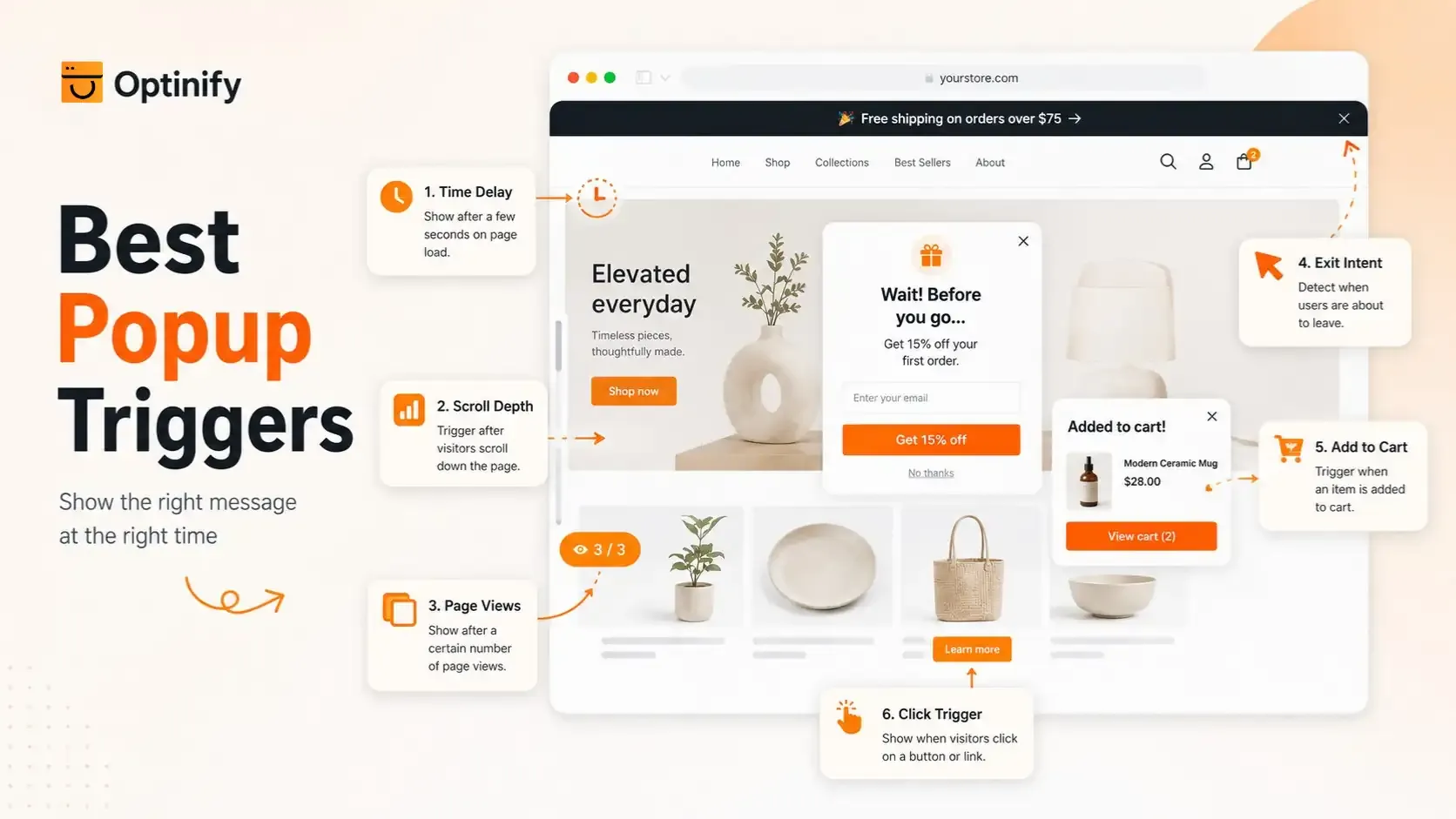
Popup timing should follow shopper intent when possible.
A timer is simple, but visitor behavior can give you better context.
Time Delay
A time-delay popup appears after a visitor stays on the site for a set period.
This gives them some time to look around before the offer appears.
I would not use one fixed delay across every page. A home page, blog post, and product page can have very different browsing patterns.
Scroll Trigger
A scroll popup appears after someone moves through part of the page.
This is useful because scrolling shows some level of engagement.
A person who has read half a product page may be more ready for an offer than someone who has simply left a tab open for 30 seconds.
Page View Trigger
You can wait until a shopper visits two or more pages.
This can work well for welcome and email campaigns.
The shopper has already shown interest by exploring the store.
Exit Intent
Exit intent waits until the shopper looks ready to leave.
Shopify explains that desktop systems often use cursor movement, while mobile systems may depend on other signals.
This trigger fits:
- Cart reminders
- Last offers
- Surveys
- Email capture
- Free shipping
- Product help
Add-to-Cart Trigger
Use an add-to-cart trigger after a shopper picks a product.
This is a natural point for:
- Cross-sells
- Bundles
- Free shipping progress
- Accessories
- Product care items
Click Trigger
A click trigger gives the shopper full control.
It works well for:
- Product quiz
- Size guide
- Shipping information
- Product comparison
- Bundle builder
- Stock alert
How Often Should You Show a Popup?
A popup should not open on every page.
Frequency rules keep the experience under control.
A practical starting point is:
- Show a general popup once per visit.
- Do not show it again right after a visitor closes it.
- Wait before showing the same campaign again.
- Stop showing a signup popup after signup.
- Stop first-order offers after a known purchase.
- Treat cart campaigns separately because their intent is higher.
These rules are not fixed.
Test them against your own shopper behavior.
For a wider checklist on timing, frequency, copy, targeting, and design, see these popup best practices.
Website Popup Design Best Practices
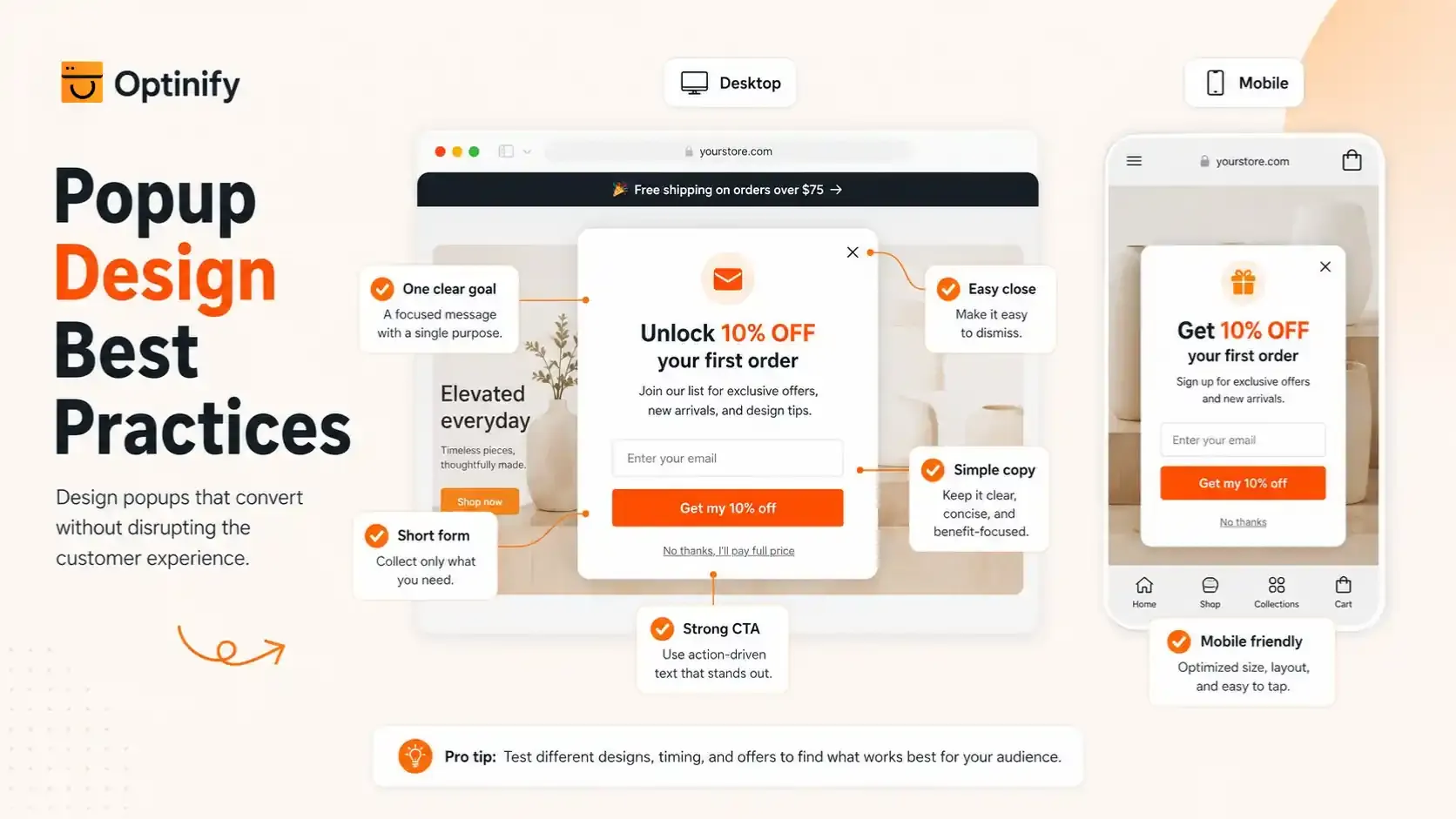
Popup design should support the offer. It should not turn a small message into a second home page.
- Use One Main Goal
- Put the Value First
- Write One Clear CTA
- Make Closing Easy
- Keep Forms Short
- Build a Separate Mobile Popup Experience
Optinify Pro Tip
For a better knowledge on Mobile popup experience, check this guide.
Are Website Popups Bad for SEO?
Website popups are not automatically bad for SEO.
The risk comes from intrusive interstitials that make the main content hard to reach.
Google says intrusive dialogs can frustrate visitors and make page content harder for search engines to understand. Google recommends smaller banners instead of full-page interstitials when possible.
Google's page experience guidance also asks site owners to consider whether their pages avoid intrusive interstitials.
Better Practices for Search Traffic
- Do not cover the whole page as soon as a search visitor lands.
- Keep the main content easy to reach.
- Make the close button clear.
- Use smaller formats when possible.
- Use shopper actions as triggers.
- Keep mobile popups compact.
- Test the page after the popup goes live.
The goal is not to hide every popup from search traffic.
The goal is to avoid making the page hard to use.
How to Measure Website Popup Performance
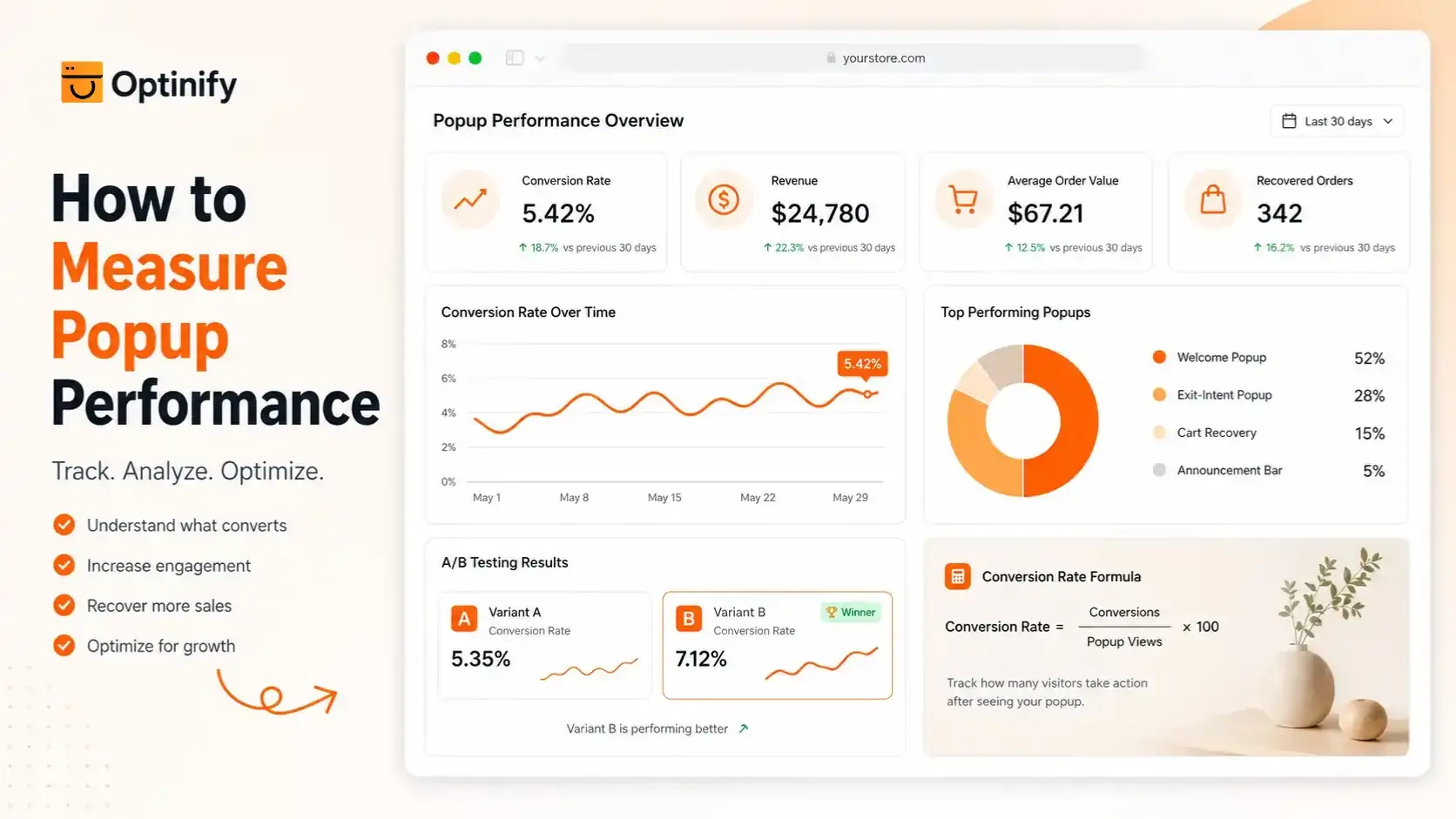
A popup is successful only when it helps the store reach its goal.
Signup rate is only one measure.
Popup Conversion Rate
For a lead popup:
Popup conversion rate = Signups ÷ Popup views × 100
If 40 people join from 2,000 views:
40 ÷ 2,000 × 100 = 2%
Compare this result with your own past campaigns.
Revenue
Track sales from people who saw or completed the popup.
A campaign with fewer leads may still be better if those leads buy more.
Average Order Value
Use AOV for cross-sell and free shipping campaigns.
If the popup gets clicks but order value stays the same, review the offer.
Recovered Orders
Cart popups should be judged by orders recovered.
Do not judge them mainly by email signups.
Lead Quality
Look beyond list size.
Check:
- Purchases
- Email engagement
- SMS engagement
- Unsubscribes
- Repeat orders
A smaller list of interested shoppers can be worth more than a huge list of coupon hunters.
A/B Test One Main Change at a Time
A/B testing works best when you know what changed. Shopify recommends testing different popup offers, copy, and designs.
Good tests include:
- 10% off vs. free shipping
- Discount vs. free gift
- Lightbox vs. slide-in
- Time trigger vs. scroll trigger
- Short headline vs. longer headline
- One-step vs. multi-step
- Product image vs. no image
Do not change the offer, trigger, image, copy, and layout at once. You may get a different result, but you will not know what caused it.
8 Website Popup Mistakes to Avoid
1. Showing the Popup Too Early
A new visitor does not yet know your products.
Give them enough time to understand the store.
2. Showing the Same Message Everywhere
A home page visitor and a cart visitor have different needs.
Match the popup with the page and stage.
3. Using Discounts for Every Campaign
Discounts can work.
They can also teach shoppers to wait for a coupon.
Test gifts, shipping, early access, stock alerts, and product help too.
4. Asking for Too Much Data
Long forms add work.
Collect only the data you will use.
5. Showing Signup Popups to Subscribers
Someone who already joined does not need another signup form.
Use a different campaign.
6. Using Fake Urgency
A countdown should end when the offer ends.
Do not reset a fake deadline.
7. Ignoring Mobile
A popup that looks good on desktop may fail on a phone.
Test both.
8. Measuring Only Signups
The final business result matters.
Track what happens after someone converts.
A Simple Popup Strategy for a New Shopify Store
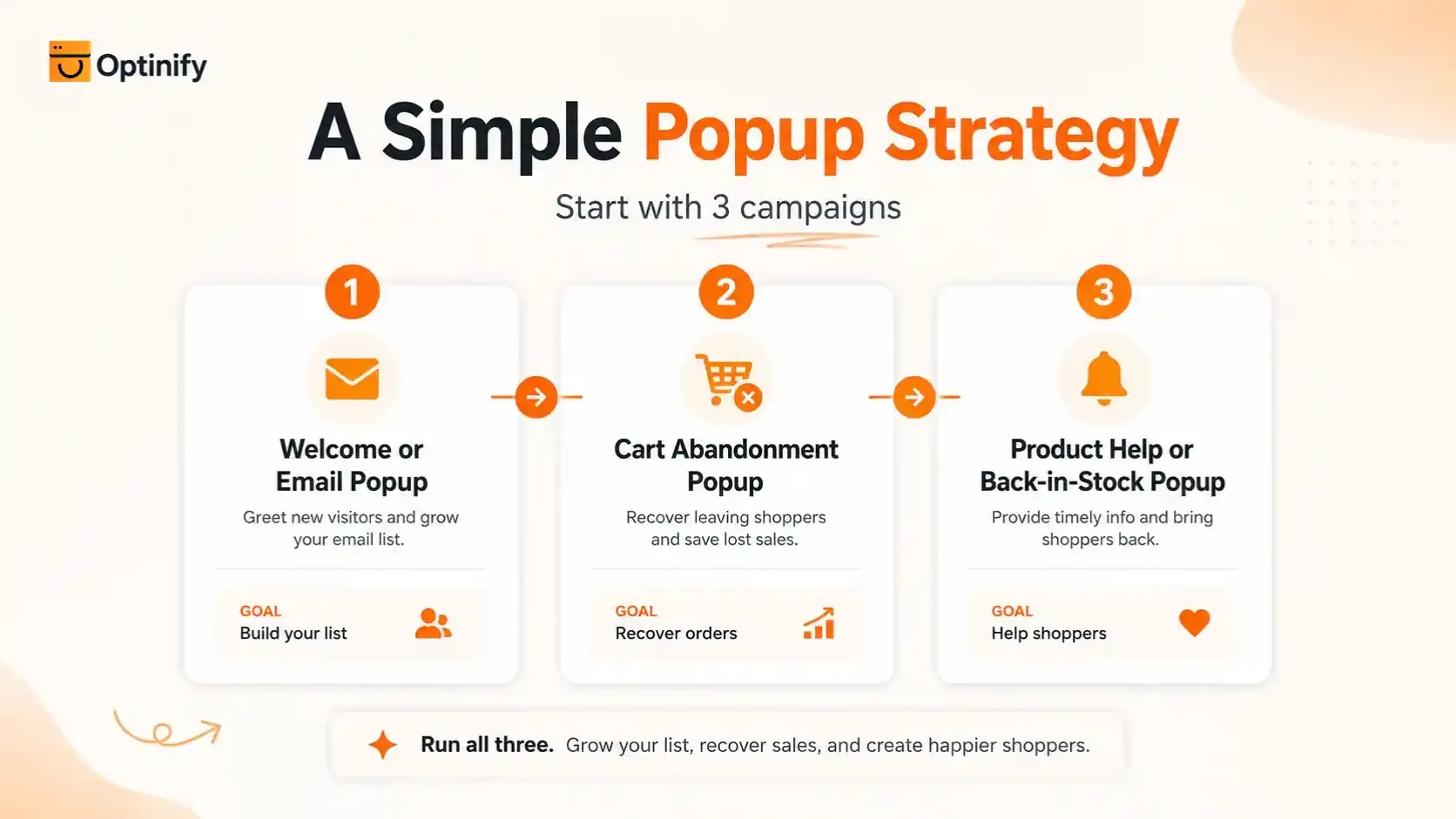
A new Shopify store does not need 21 live popup campaigns.
Start with three.
Campaign 1: Welcome or Email Popup
Goal: Build your list
Audience: New visitors
Trigger: After clear engagement
Offer: Discount, shipping, gift, early access, or useful content
This gives you a basic lead capture system.
Campaign 2: Cart Abandonment Popup
Goal: Recover possible orders
Audience: Visitors with products in their cart
Trigger: Exit behavior
Offer: Reminder first
Add a stronger offer only when it makes business sense.
Campaign 3: Product Help or Back-in-Stock Popup
Goal: Help interested visitors
Audience: Product viewers
Trigger: Click or product status
Offer: Product help, stock alert, or quiz
This campaign can generate value without cutting price.
Once those campaigns work, add more based on real data.
Website Popup Examples FAQ
Final Takeaway
The best website popup is not the one with the biggest coupon or the most polished template.
It is the popup that matches the right shopper, right page, right message, right offer, and right time.
For Shopify merchants, start with a real store problem. Pick the popup that solves that problem, measure the result, and improve it from real shopper behavior.
What to read next
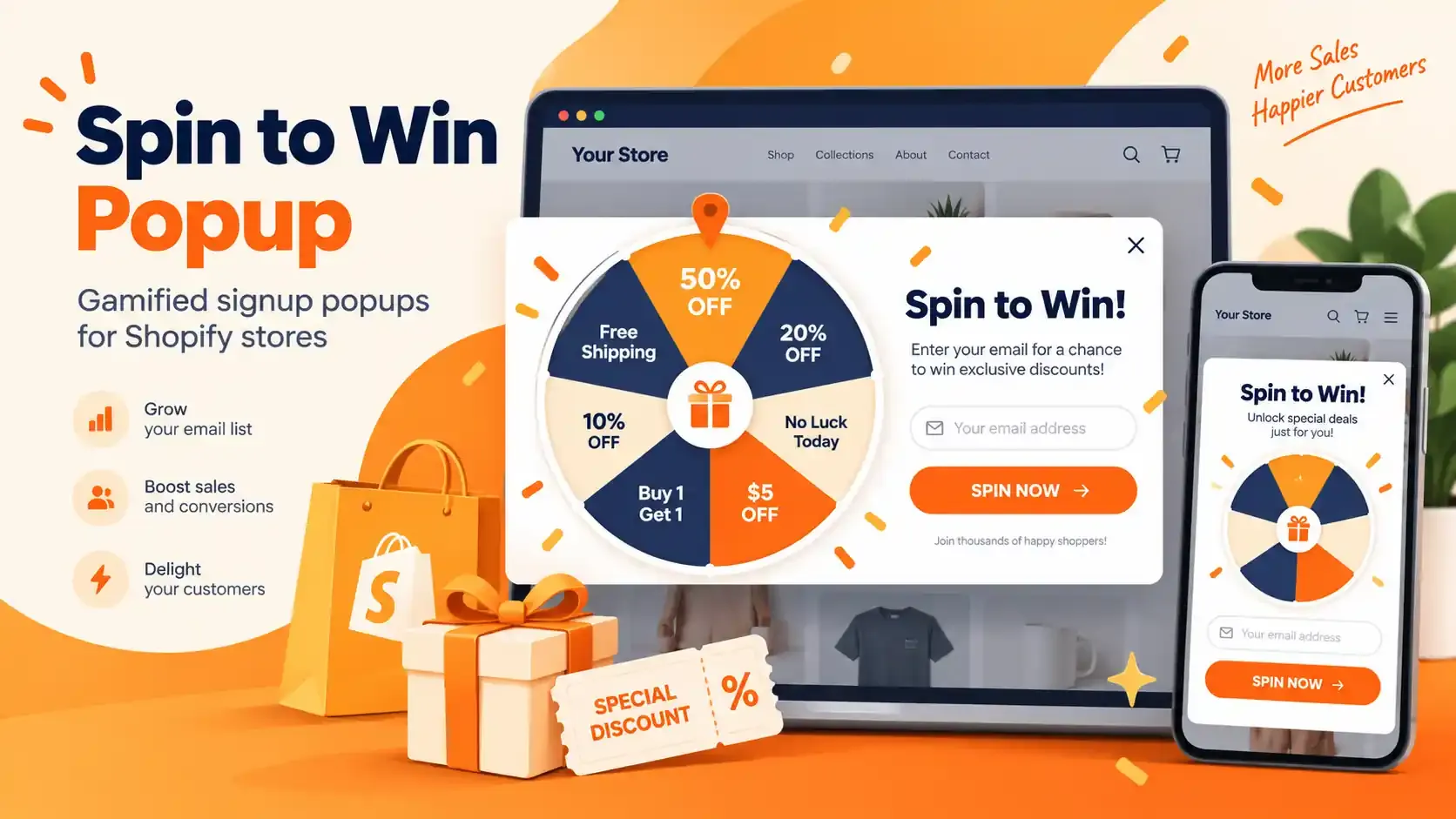
Spin to Win Popup: How Shopify Stores Can Grow Email Signups and Sales
Learn how spin to win popup actually work! Discover the best prizes and perfect timing strategies to boost conversions and grow Shopify sales.
Read Article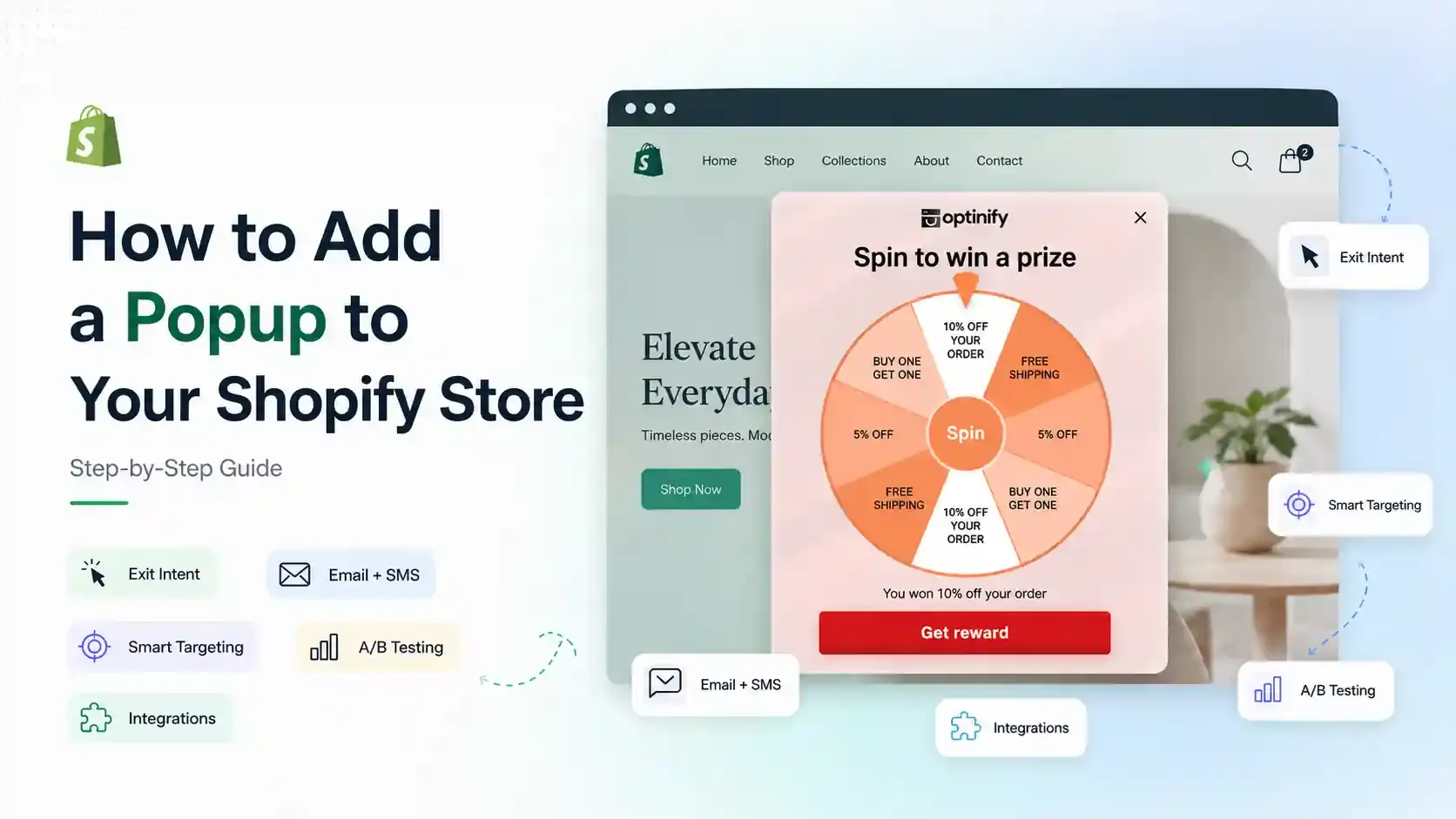
How to Add a Popup to Shopify Store: Step-by-Step Guide
Learn how to add a popup to your Shopify store with Optinify. Follow this step-by-step guide to create, customize, test and publish Shopify popups.
Read Article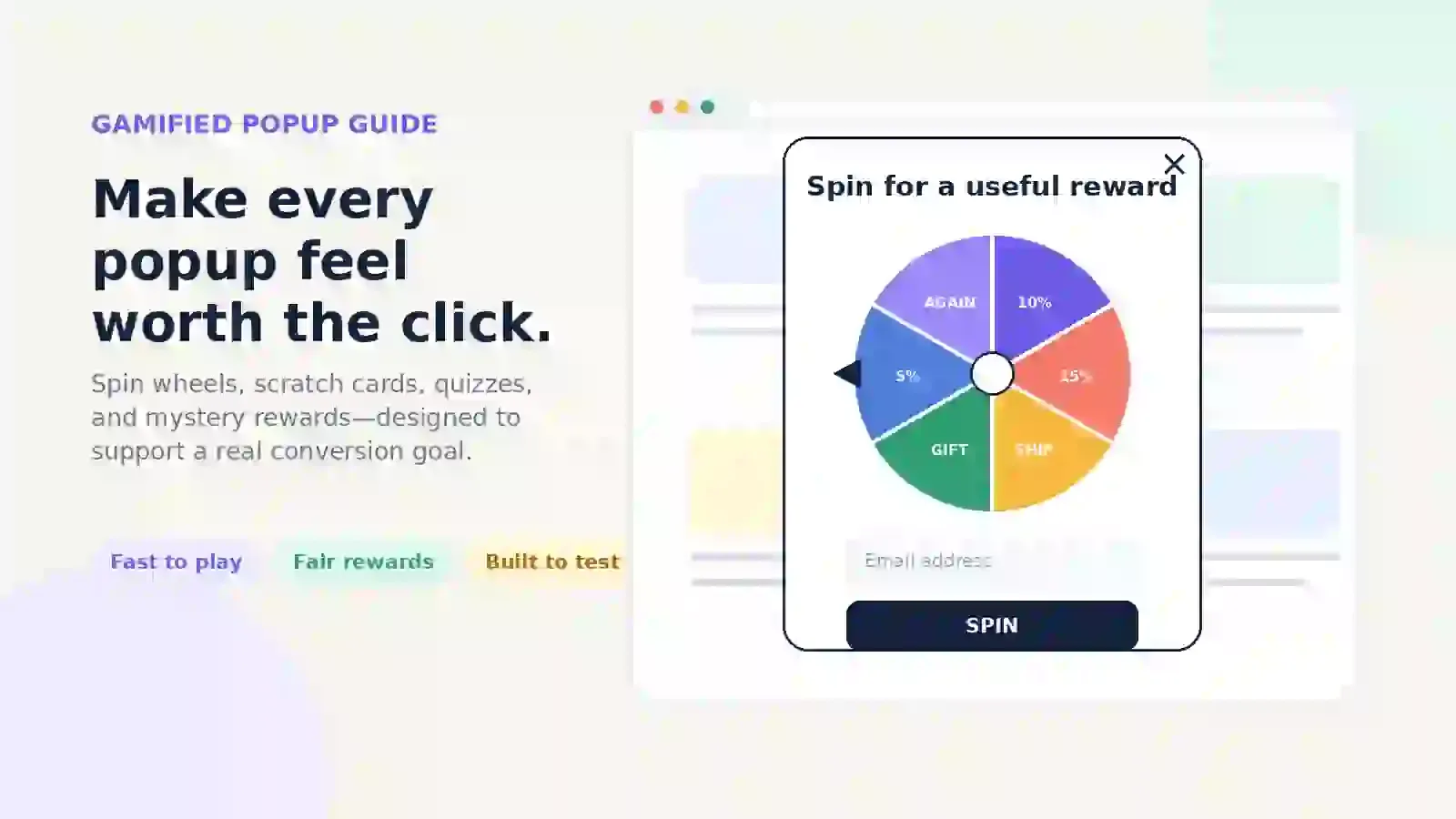
Gamified Popup Guide: Types, Examples & Best Practices
Learn how gamified popup help Shopify stores grow leads and sales. Compare game types, prize ideas, targeting tips, and best practices.
Read Article