

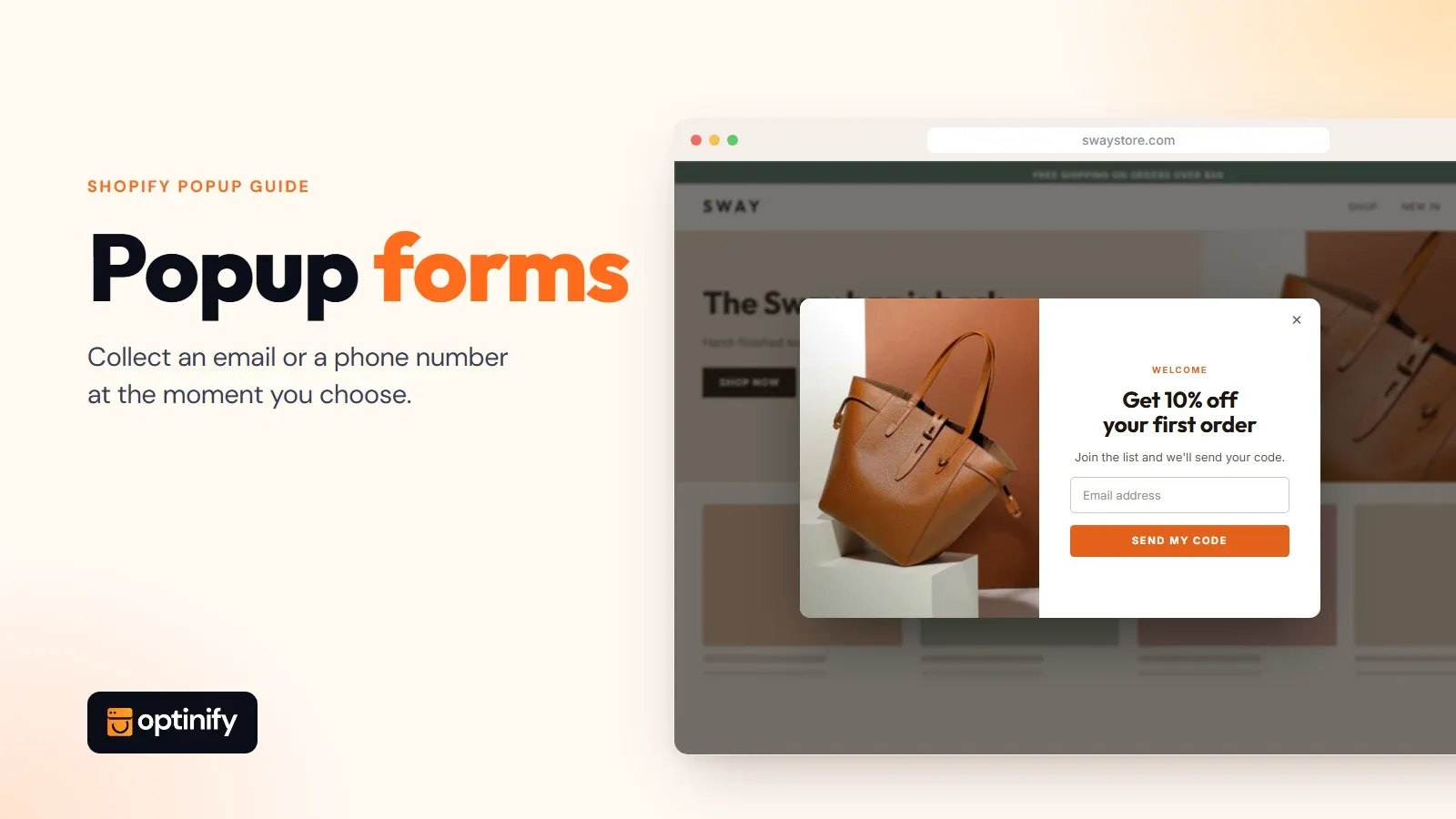
Most website visitors who land on your store leave without buying and without telling you who they were. Popup forms fix the second part. A popup form lets you collect email addresses or phone numbers at a moment you choose, so a visitor who isn't ready to buy today can still hear from you tomorrow.
This guide covers what a popup form is, how it differs from an inline form, which settings decide whether it works or annoys people, and how to build one on Shopify.
The short version
- A popup form is a signup form that opens over the page. An inline form sits inside the page.
- Use both. They catch different visitors.
- One or two form fields is enough for a first popup.
- Settings (when, who, how often) matter more than colors.
- Use a Shopify popup app.
What is a pop-up form?
A pop-up form is a small overlay that opens on top of a web page and asks the visitor to fill in an input field or two, usually name and email or a phone number. It appears after a trigger such as a time delay, a scroll, or a move toward closing the tab. The visitor either submits it or closes it.
That last part is what separates it from other popups. An announcement popup only tells people something. A popup form collects something, which is why it's the standard tool for lead generation and newsletter opt-in. If you want the wider picture first, read what a popup is?
You can also browse these 29 types of popups.
A website popup works the same way whether the site runs on Shopify, WordPress or custom code. And you will see it written as popup form, pop-up form and pop up forms. Same thing.
Optinify Pro Tip
You may like the Shopify lead generation strategies
Inline forms vs popup forms: what's the difference?
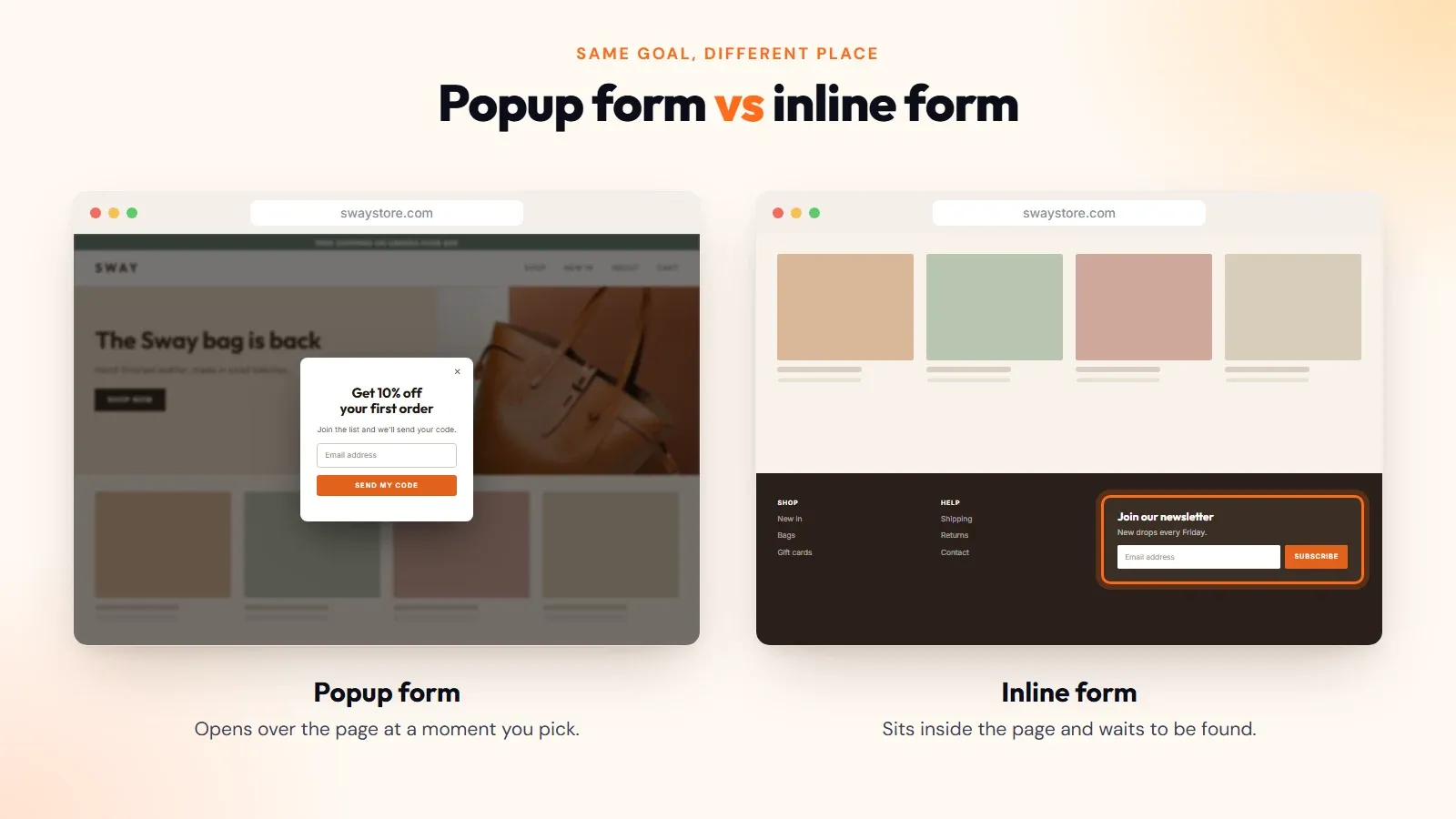
An inline form is built into the page, like the newsletter box in a footer. A popup form opens over the page at a moment you pick. Inline forms wait to be found. Popup forms go and ask. That's the whole difference, and it explains nearly everything else about how the two behave.
Inline forms vs popup forms
So which one? Both. I would keep the footer form to promote your newsletter to people who go looking, and add one popup for everyone who doesn't. Treating it as either/or leaves subscribers on the table. Where I would not use a popup is on a specific page whose only job is a form, such as a wholesale application or a contact page. The form is already the point there.
Popup form examples you can borrow
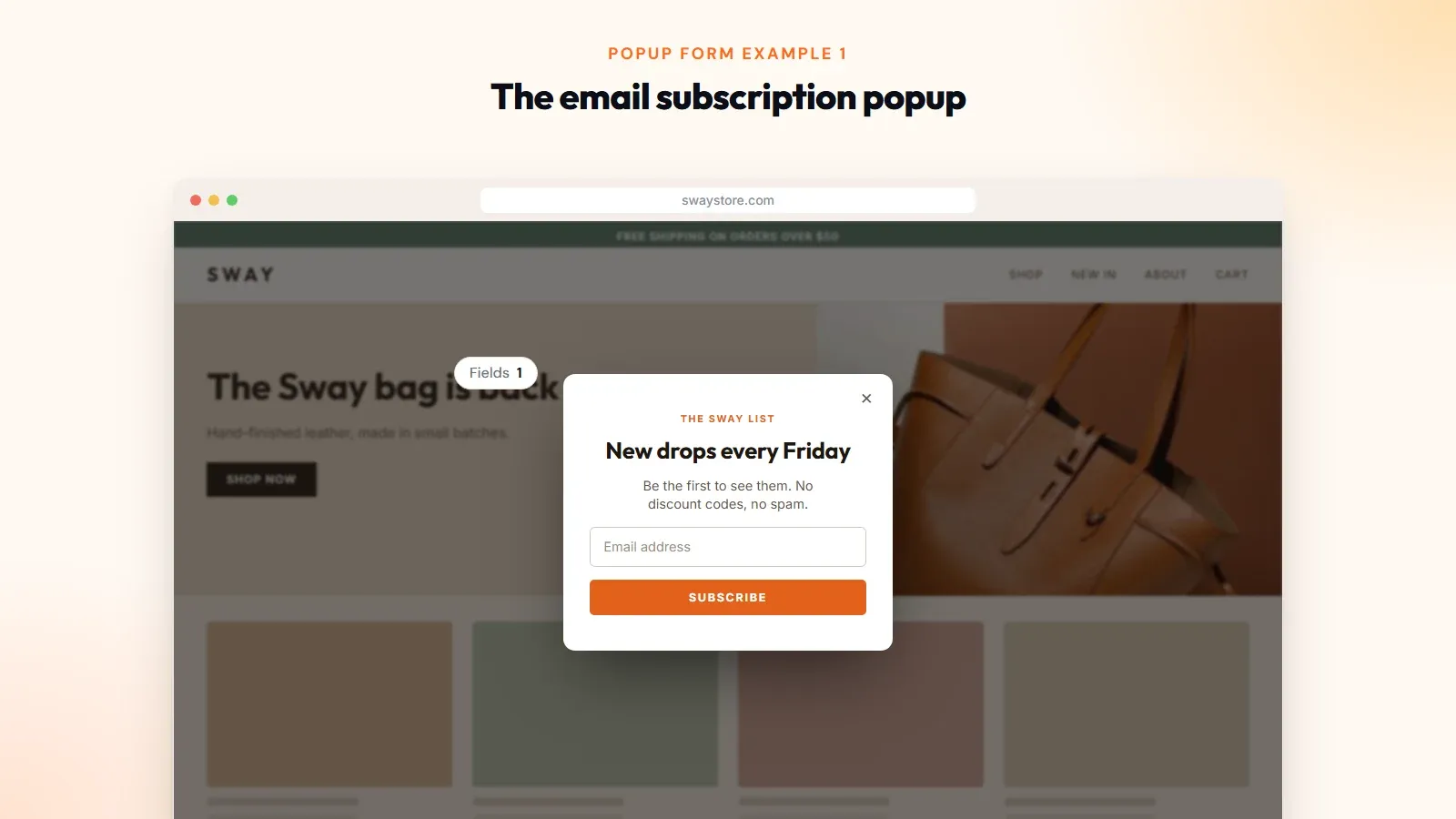
1. The email subscription popup: One field, one button, one reason to join ("New drops every Friday"). No discount. It suits brands that don't want to train customers to wait for codes, and it's the easiest popup form to get live in an afternoon.
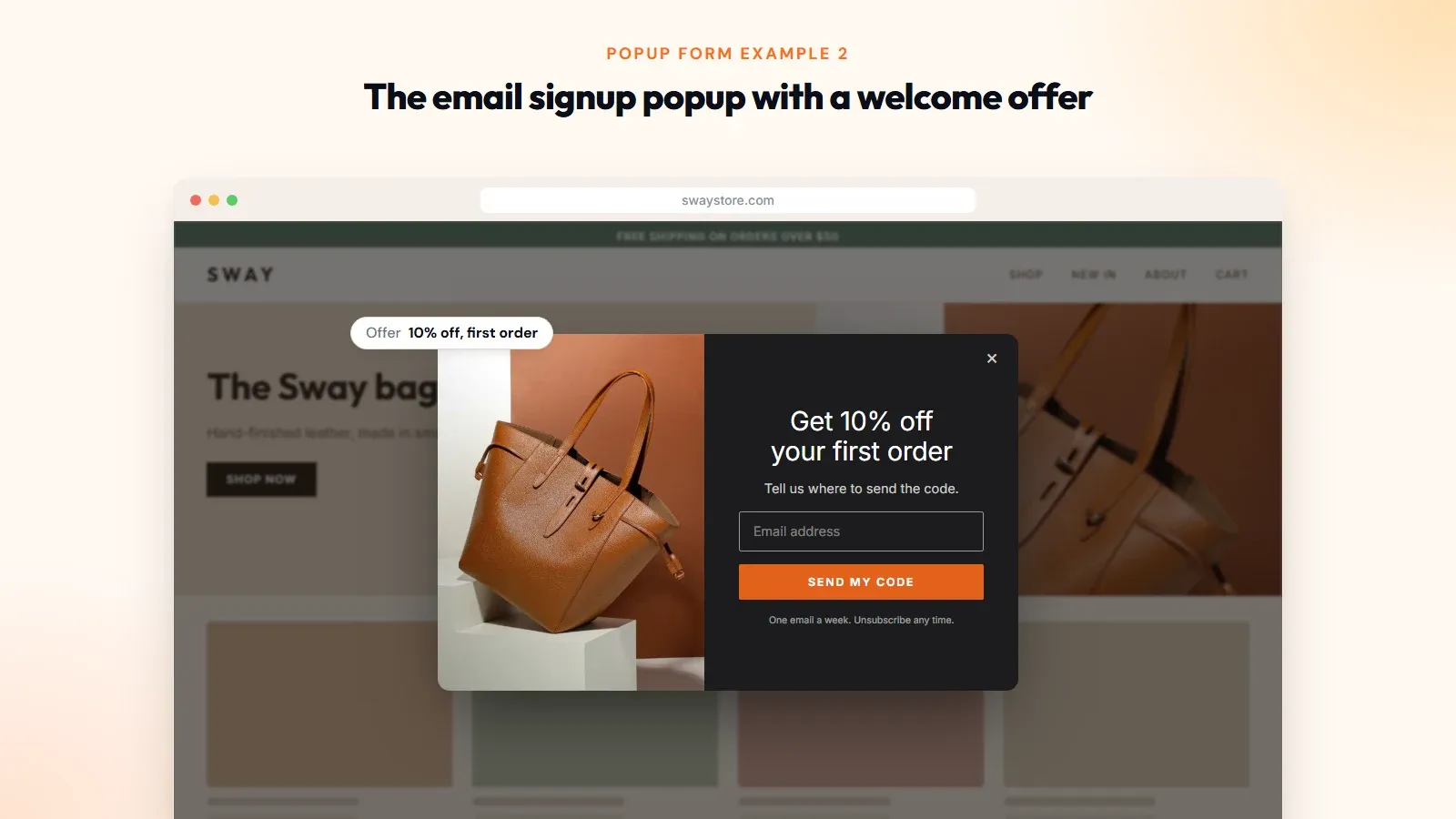
2. The email signup popup with a welcome offer: The classic: 10% off the first order in exchange for an email. A high-converting popup isn't always the one with the biggest number. Start at 10% and only raise it if signups stay flat, because every extra point comes straight out of your margin.
You may also read the guide on
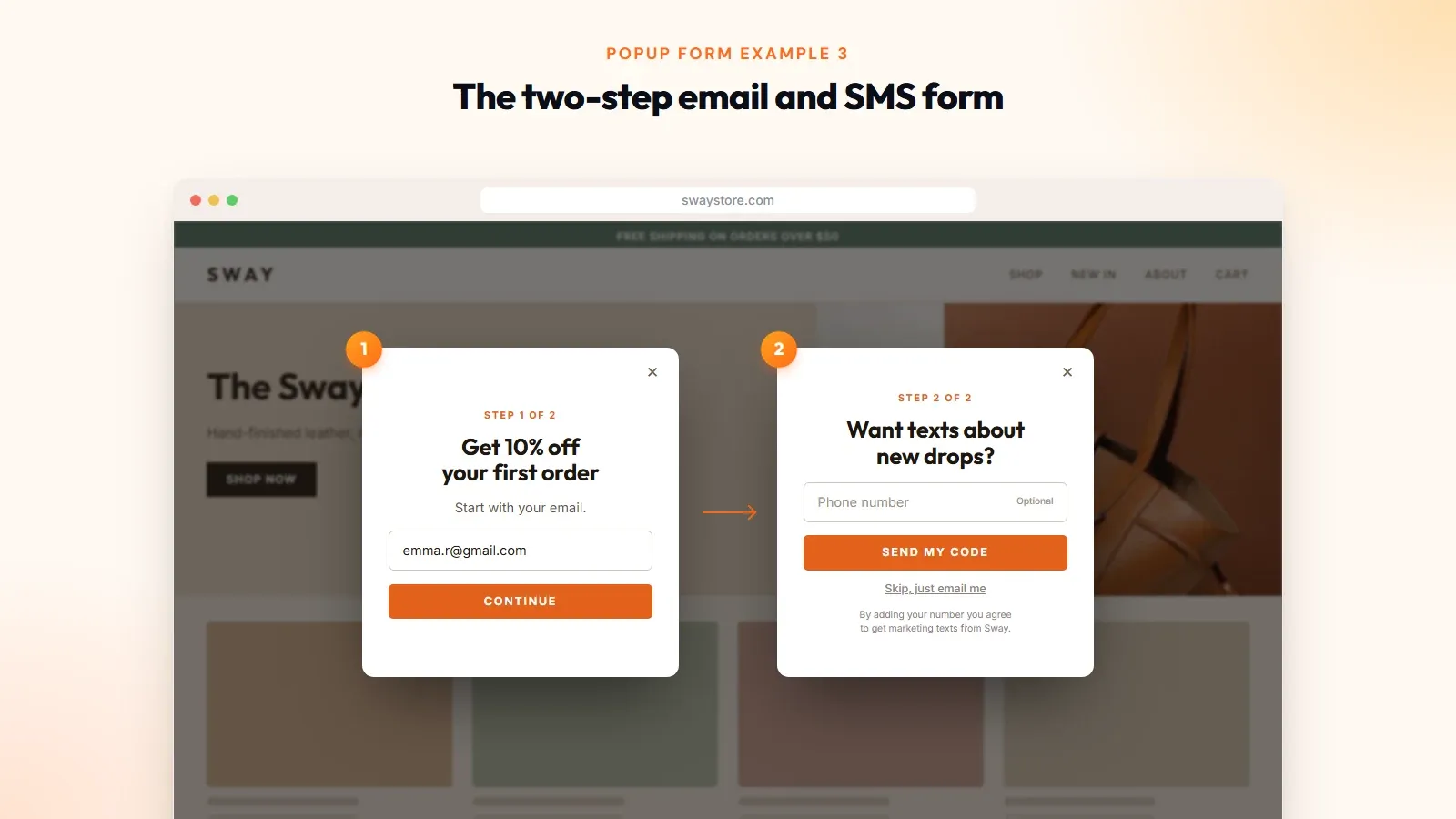
3. The two-step email and SMS form: Step one asks for the email. Step two adds a phone number field and makes it optional. You keep the email even if the visitor skips step two. An SMS popup built this way collects two channels without a long first screen.
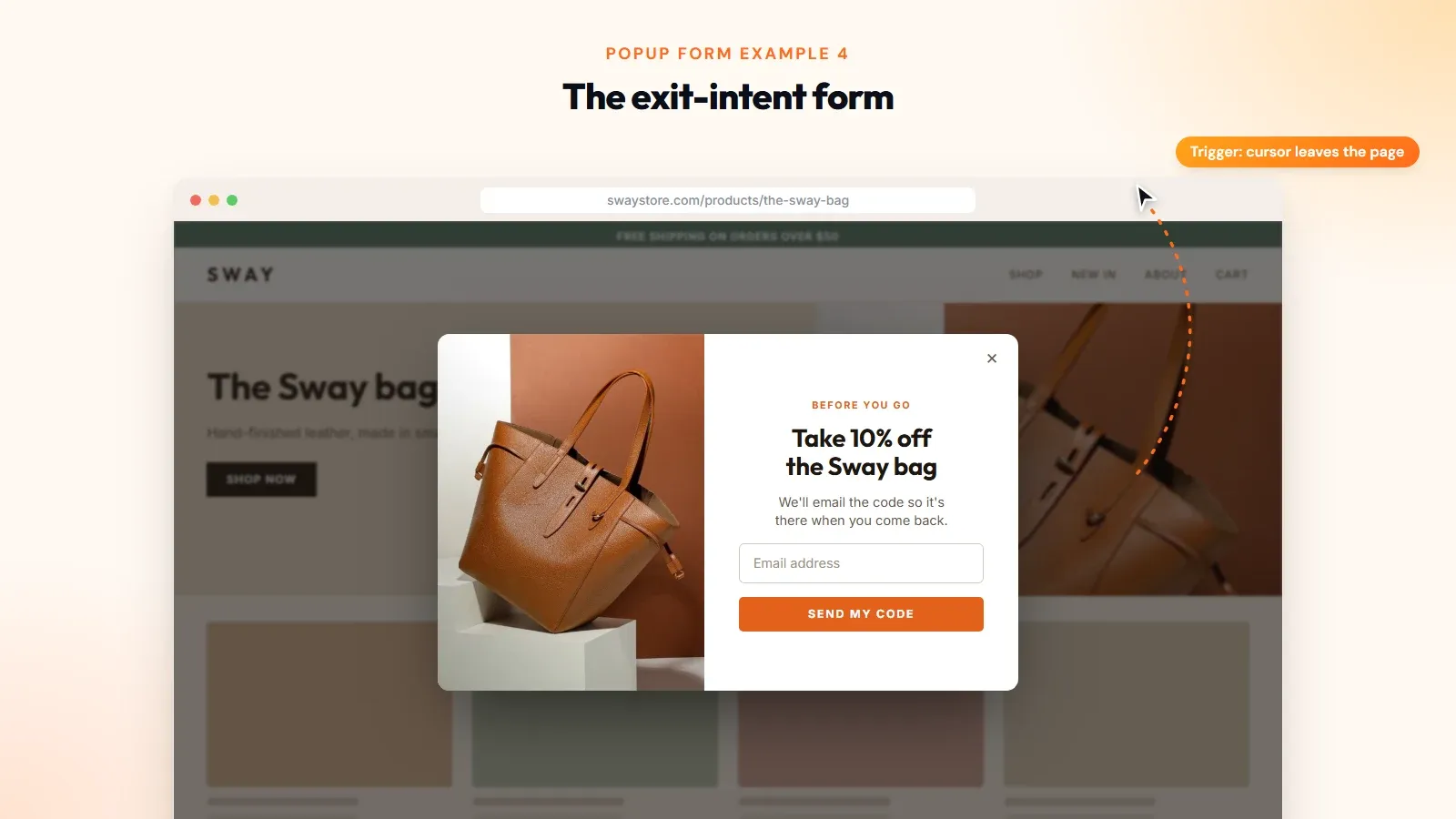
4. The exit-intent form. It opens when a visitor is about to leave, as the cursor heads for the close button. Nobody was interrupted mid-read, because they were going to leave the page anyway. An exit-intent popup is the direct answer to leaking visitors.
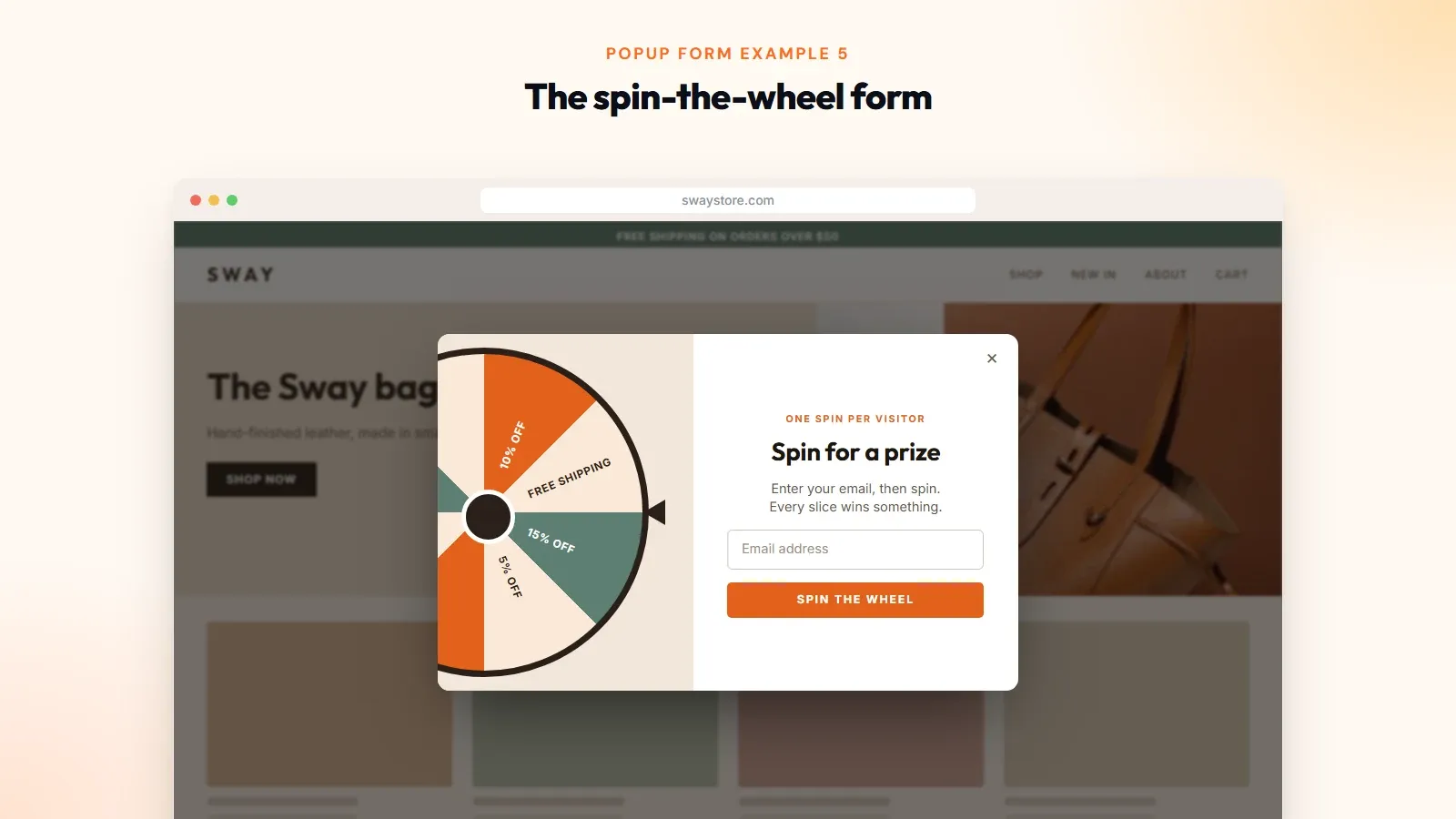
5. The spin-the-wheel form. The visitor enters an email to spin for a prize. It is louder than the others, and it isn't right for every brand, but a spin to win popup gives people a reason to finish the form beyond the discount itself.
Want more?
There are 15 email popup examples with mockups in a separate post.
Popup form design: what makes a form easy to say yes to
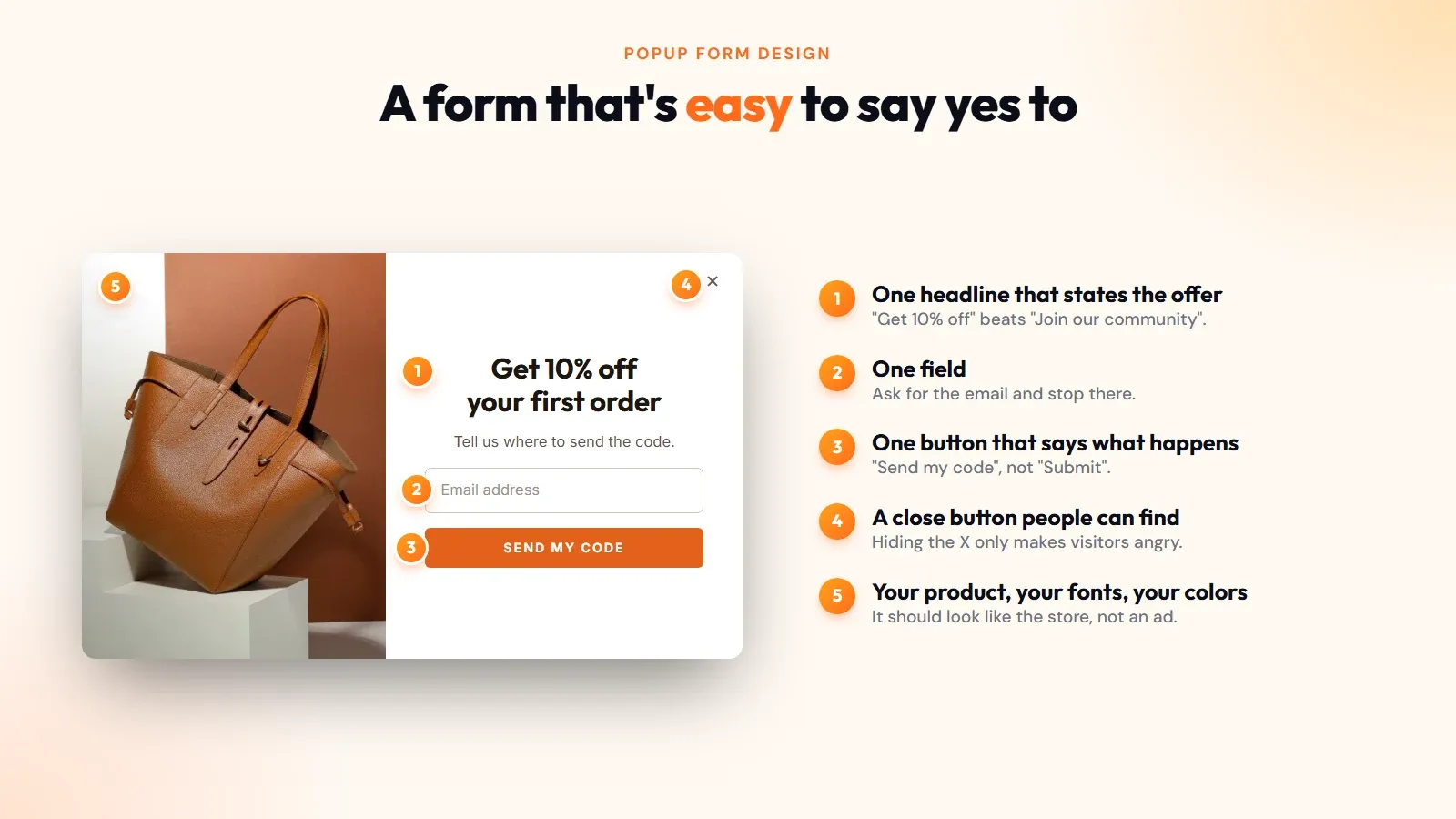
Good popup design is mostly restraint. A visitor decides in a couple of seconds, so the form has to be readable in a couple of seconds.
Start with the fields. Ask for the email and stop there, or add one more thing you will use.
Then the rest:
- One headline that states the offer. "Get 10% off your first order" beats "Join our community."
- One button. Say what happens: "Send my code."
- A close button people can find. Hiding the X doesn't create subscribers. It creates angry visitors.
- An image only if it's your product. Stock photos add weight and nothing else.
- On-brand fonts and button and text color, so the popup looks like part of the site and not an ad from somewhere else. Any customizable template will let you do this.
Design the popup on mobile first. Check Google's guidance: "Don't obscure the entire page with interstitials." On mobile, use a small card or a floating bar.
Optinify Pro Tip
Go through this guide on How to Create a Mobile Popup.
How do I manage settings for popup forms?
You manage popup form settings in your popup tool's form editor. Looks usually sit under theme settings, and everything else under behavior settings or visibility settings (some tools call it targeting). Four of them matter: when the form opens, who sees it, where it shows, and how often it comes back. Get these right before you touch the design.
When it opens: The usual triggers are time on page, scroll depth, exit intent, and specific actions such as a button click. Don't fire on page load.
Who sees it?: Split new visitors from returning ones. A welcome offer makes sense for a first visit and looks odd to a customer who bought last week.
Where it shows: "Show on every page" is the default, and it's rarely the best choice.
How often it returns: About 40% of popup displays get closed. That's normal. What isn't fine is showing the same form on every page afterward. Once per session, then a few days of quiet.
In Optinify, these live in the smart targeting step of a campaign: exit intent, scroll, on-page rules, and new or returning visitors.
You can also
Schedule the campaign so a holiday form switches itself off and check the popup targeting if you want to go deeper.
What is the best lead capture software for popup forms?
The best lead capture software for popup forms is whichever form builder gives you the triggers, targeting and integrations you need at a price that fits your traffic. For a Shopify store, the real choice is Optinify, a Shopify popup app.
Checklist of a Shopify popup app before you install one:
- Does it have exit intent, scroll, and visitor-type targeting?
- Can you A/B test two versions of a form?
- Does it automatically send new contacts to your email or SMS tool, so a signup can trigger a welcome automation without a spreadsheet in between?
- Is pricing tied to something predictable?
- Are the popup form templates usable on mobile as they are?
- Does it install from the app store, or do you have to copy and paste code into your theme?
You must know
Optinify is built for this job on Shopify. It has email, SMS, exit-intent, spin-the-wheel and mini quiz forms, a built-in A/B test, and integrations with your favorite marketing tools.
How to create a popup form on Shopify
With Optinify, you can create your form in about the time it takes to drink a coffee.
- Install the app from the Shopify App Store.
- Create a campaign. Click "Create campaign", then give it a name and description.
- Choose a template. The popup form templates come in lightbox, floating bar and full page layouts. Lightbox popup forms are the usual pick for a first signup.
- Customize the design. Import your store's colors and fonts in one click, then edit the form template on the canvas. Keep it to one or two fields.
- Set a targeting rule using the settings above.
- Preview it on your storefront, on a phone as well as a laptop.
- Connect your email or SMS tool under Integrations so new leads sync on their own.
- Publish your form. Set the campaign live.
Once you go live, leave it alone for two weeks. A popup form needs a few thousand displays before the numbers mean anything, and changing the headline on day two only resets the clock.
Optinify Pro Tip
You can also follow this guide on How to Add a Popup to Shopify Store.
Frequently Asked Questions
Your next step
Pick one of the five examples, keep it to one field, set it to open on exit intent, and publish it today. You can argue about button colors once it has collected its first hundred emails.
Install Optinify on Shopify and build your first popup form.